5
Camera Controls
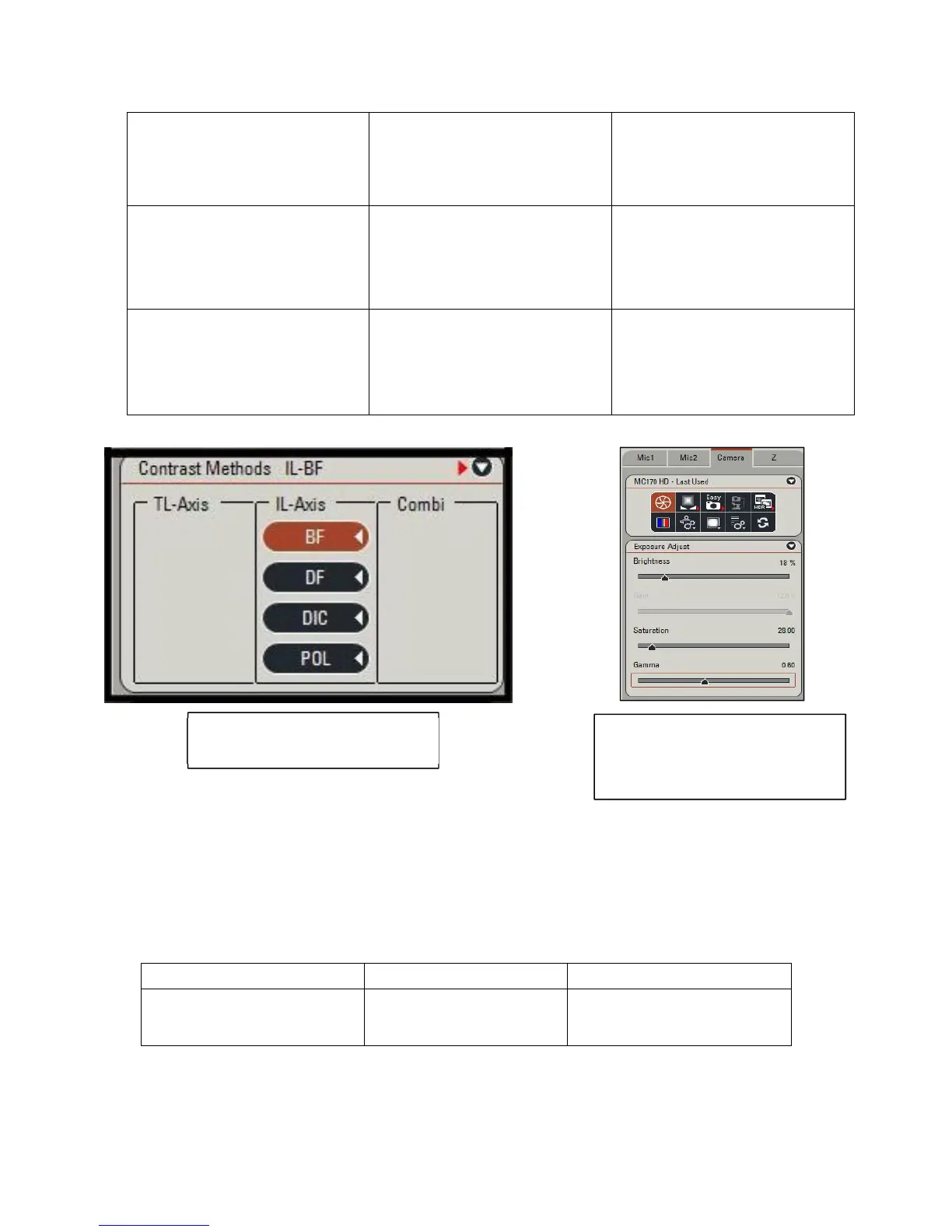
Despite the importance of scanning fields for proper illumination of your sample, the camera
parameters are equally consequential for getting the right tone and color balance within your
picture. Any large perturbations can lead to washed out greys taking over your picture with no
discernible sample features. Take a look at the following to determine which parameters are best
for how you want your picture to appear:
Dark Field
Shows the specimens light on
a dark background.
ꞏWell suited for live and
unstained samples with a low
reflection index or close to its
environment
ꞏ Must be very strongly
illuminated which may cause
damage to samples
DIC
Highlights the otherwise
invisible features of a sample
ꞏ Very useful for observing
unstained samples that need
to be stained with the other
scanning fields
ꞏ Enhanced light and shadow
may slightly distort the
appearance of the sample
Polarizing-Contrast
Uses polarizing light to
enhance images of
birefringent materials
ꞏ Allows for qualitative
analysis of anisotropic
specimen. Used primarily
within optical mineralogy
ꞏ Very difficult to perform
any quantitative analysis.
Should only be use on very
specific materials
Camera Controls Increase Effect Decrease Effect
Brightness
Illumination of the sample
ꞏYour sample will
appear lighter
ꞏYour sample will appear
darker
Figure:ThelistofScanningFields
availableforthemicroscope
Figure:Thelistofexposure
adjustmentsavailable.Thecolor
adjustmentisalongside
thebottomofthetab.



 To Next Page