8
Editing Pictures
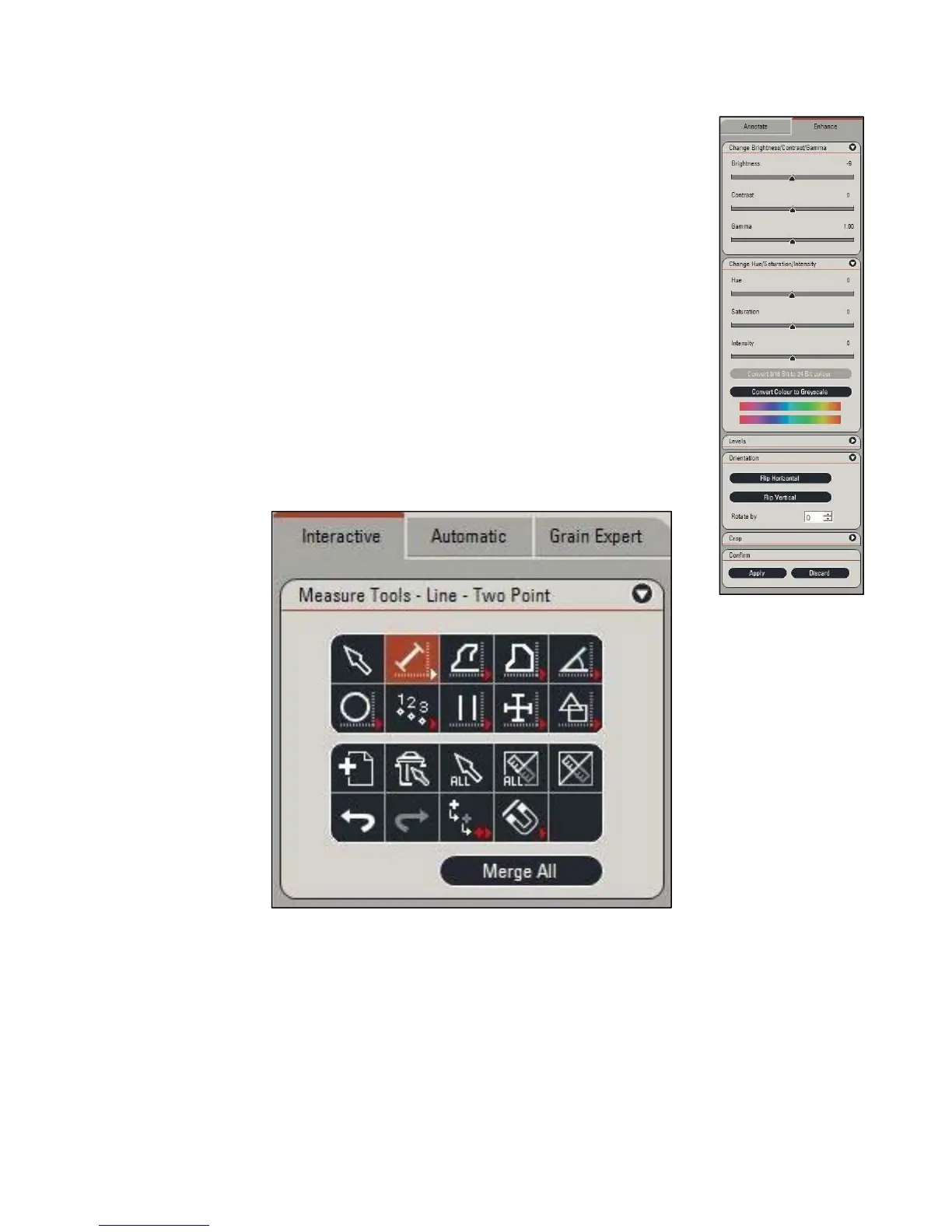
1) WithintheProcesstab,selecttheEnhancewindow.
2) Fromhere,youcanchangethefollowingparametersofthephoto:
Brightness,Contrast,Gamma,Hue,Saturation,Intensity,Color,
Black/WhiteLevels.
a. Forthemajorityofthevariables,theyarenowrepresentedas
1’sor0’stodisplaywheretheoriginalimagewasbefore
correction.
3) Thistabalsoallowsforphysicalchangestothephotothrough:
a. Orientation:AllowsforflippingalongtheX‐Yaxisoradegree
basedrotation
Analyzing Pictures
1) Atthetopofthescreen,selecttheInteractivewindowwithinthe
Analysistab
2) Here,youwillseeanassortmentoftoolsaslisted:
SelectionTool:Allowsfortheselectionofanymeasurementsontheimage
DistanceLineTool:Findthedistancebetweentwopointsonyoursurface
SegmentLineTool:Findthedistancebetweenamultitudeofpointsonyoursurface.
AreaLineTool:Findthesurfaceareaswithinauser‐definedgeometry
AngleTool:Findtheanglebetweendifferentfeaturesonyoursample
CircleTool:Createsacircleusingtwopointstocreateanarcofvariablelength



 To Next Page