4
Operating the Microscope
Navigation
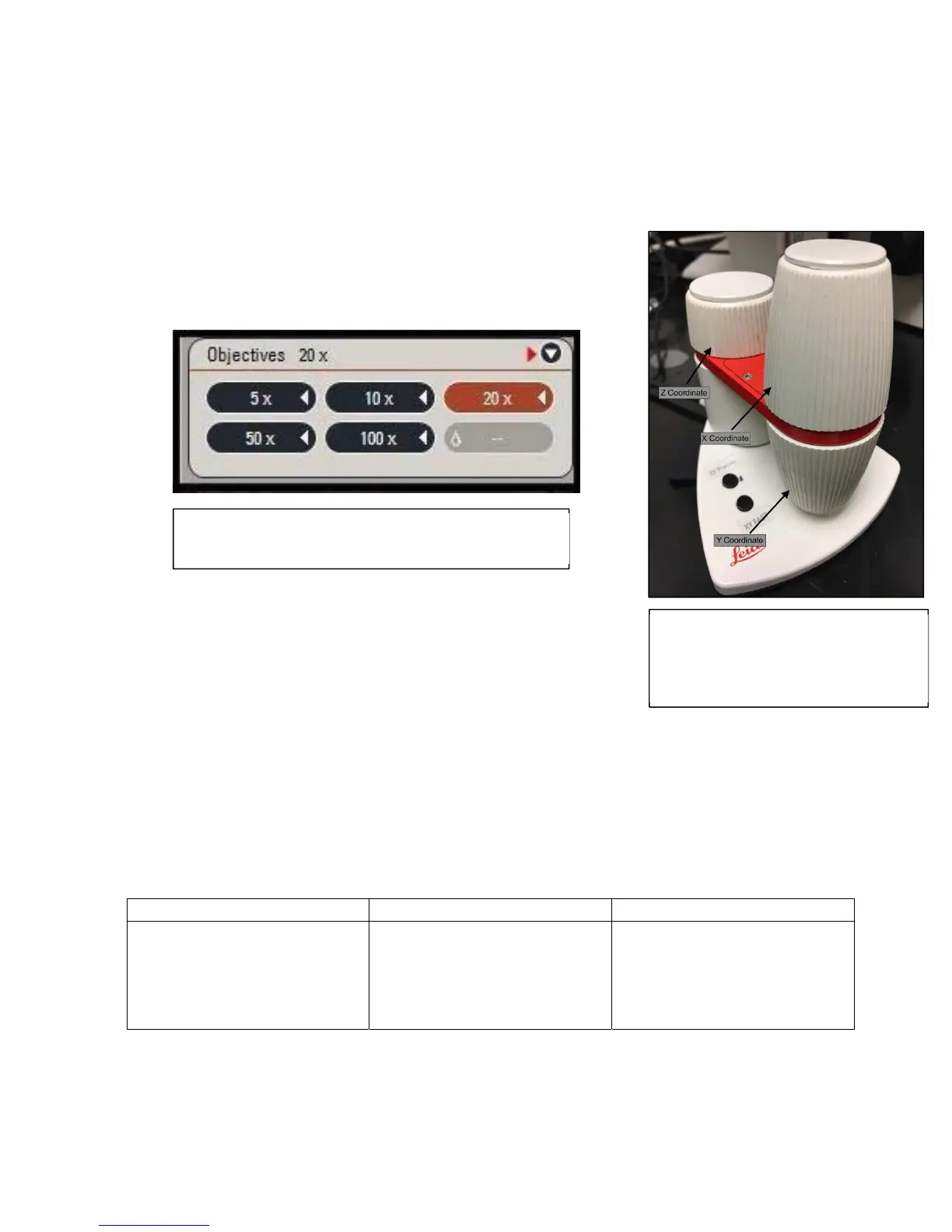
1) Adjust the specimen to where you want to be using the X and Y controls
a. Rotary Knobs: Top = X; Bottom = Y
b. Can be done on computer w/ Mic2
c. Can be done w/ manual stage adjustment
2) Adjust the Zoom Levels on the microscope
a. Available magnifications: 5x, 10x, 25x, 50x, 100x
Adjusting the Filtering Parameters
Depending on the properties of your sample and its environment,
different combinations of camera controls and scanning fields may
be more viable than others when looking for the highest photo
resolution. In order to make your sample more visible and colored to
the proper extent, take a look at the following variables:
Scanning Fields
The different scanning fields reflect numerous forms of illumination techniques used within
advanced microscopes. Incorrect illumination of the sample can lead for sophisticated
microscopes to take blurry pictures even though they are more than well-equipped. Use the
following table to determine which scanning field is best for your particular sample:
Scanning Fields Advantages Disadvantages
Bright Field
Shows the specimen dark on
a light background
ꞏAllows for viewing
specimens that are unstained,
transparent, and have a high
reflection index
ꞏ Has a low contrast index
and typically needs to be
stained for proper viewing
Figure:TheX‐Y‐ZControllerforthe
microscope.Thelargertwoknobs
controltheX‐Yaxis(respectively),and
thesmallerknobcontrolstheZ‐axis.
Figure:TheavailablemagnificationsfortheDMi8A.The
selectedmagnificationishighlightedorange.



 To Next Page