Leica E Series User Manual 5
Contents (Continued)
Get Set!
USB Mode – Capturing and Adjusting Images Using a Computer 48
SD Mode – Capturing Images Without a Computer or Without a Wireless
Device 50
Adjusting Settings While in SD Mode 52
WiFi Mode – Capturing and Adjusting Images Using a Wireless Device
(Only Available for Leica EZ4 W) 53
Ethernet Mode – Capturing and Adjusting Images Using a Network 54
The Camera Remote Control (Optional)
Optional Remote Control 56
Viewing Images and Movies With the Optional Remote Control 57
Calling up the Camera Menu 58
COLOR (Automatic White Balance) 59
COLOR (Manual White Balance) 60
EXPOSURE 61
RESOLUTION 62
SETUP CAMERA (Camera Settings) 63
SETUP USER 64
SETUP ETHERNET 65
SETUP WiFi (Only for Leica EZ4 W) 66
Pairing Cameras With Remotes 67
Care, Transport, Contact Persons
Care, Transport, Contact Persons 69
Specifications
Specifications 71
Specifications (Only for Leica EZ4 W) 72
Certificates (Only for Leica EZ4 W) 73
Dimensions
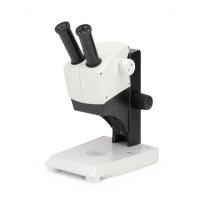
Leica ES2 75
Leica EZ4 E or Leica EZ4 W 77
Leica EZ4, 10× Eyepieces 79
Leica EZ4 Without Eyepieces 81


 To Next Page