Leica E Series User Manual Get Set! 51
SD Mode – Capturing Images Without a Computer or Without a Wireless Device
(Continued)
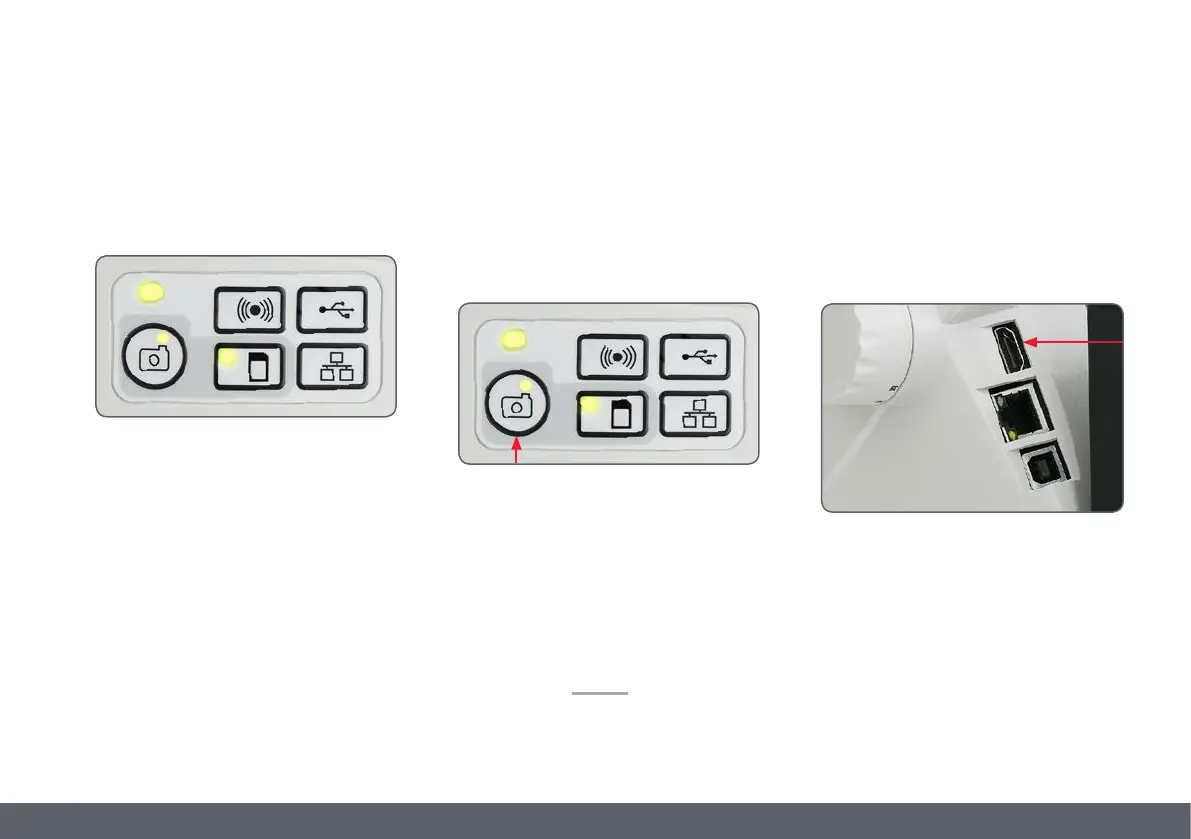
The capture button LED will turn green. The Leica
EZ4 E or Leica EZ4 W is now ready to capture
images onto the SD memory card.
Capturing an image
Focus the microscope at high magnification,
then change to the magnification at which you
wish to capture the image. Do not refocus the
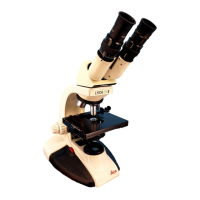
microscope. You can also use the HDMI output
and an HD display (not provided) as a focusing
aid.
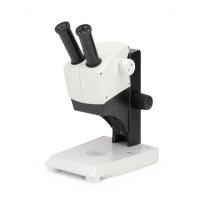
5. To capture an image onto the SD
memory card, lightly press the capture
button, located on the side of the Leica
EZ4 E or EZ4 W camera.
O You will hear a beep to acknowledge the
button was pressed.
O The status LED flashes red while the image
is being captured.
O You will hear another beep when the Leica
EZ4 E or Leica EZ4 W has completed captur-
ing the image and the status LED will return
to steady green.
The image is now saved on the SD card. Images
which are on the SD card can be viewed using
the optional remote control. See "Camera
Remote Control" on page 55.
6. While in SD mode, you can connect the
provided HDMI cable from the camera to
an HD monitor or HD projector to share the
image.


 To Next Page