29
Leica M320 / Ref. 10 718 878 / Version 02
2 3
4
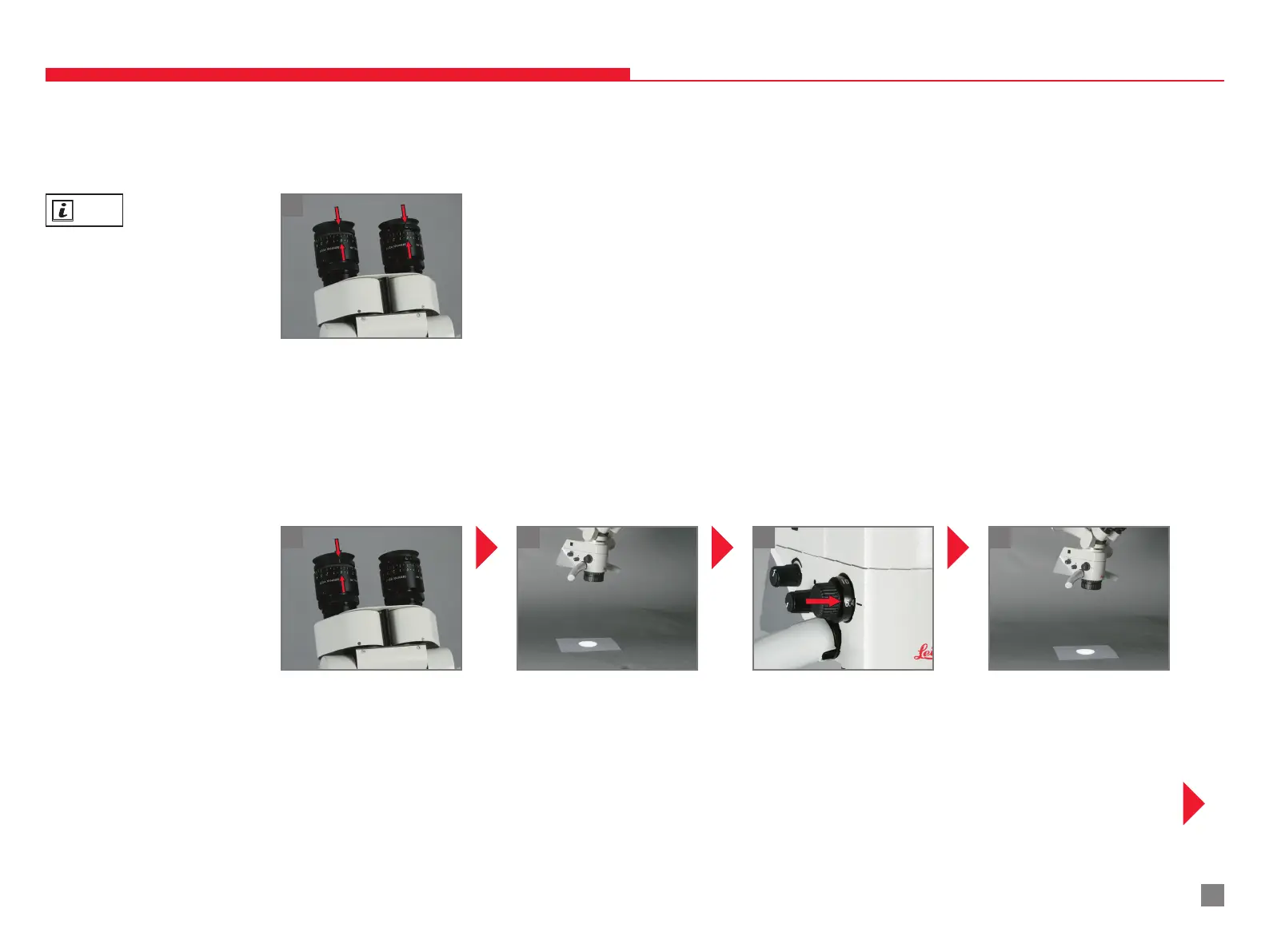
Personal diopter setting known:
Personal diopter setting known:
1
1
Set dioptric correction on
eyepieces.
Adjust the dioptric setting at
the eyepiece to 0.
6.20 ADJUSTING THE PARFOCALITY WITHOUT CAMERA AND MONITOR
Place a piece of paper with
writing on it under the
objective.
Set maximum magnication
(40×)
INFO
Parfocal means that the
sharpness remains constant
over the entire magnication
range.
Adjust the diopter settings
for both eyes separately and
accurately.
Bring the writing on the sheet
of paper into focus.
6 PREPARATION BEFORE SURGERY


 To Next Page