40
1
2
3
4
5
0
5
11
10
9
8
7
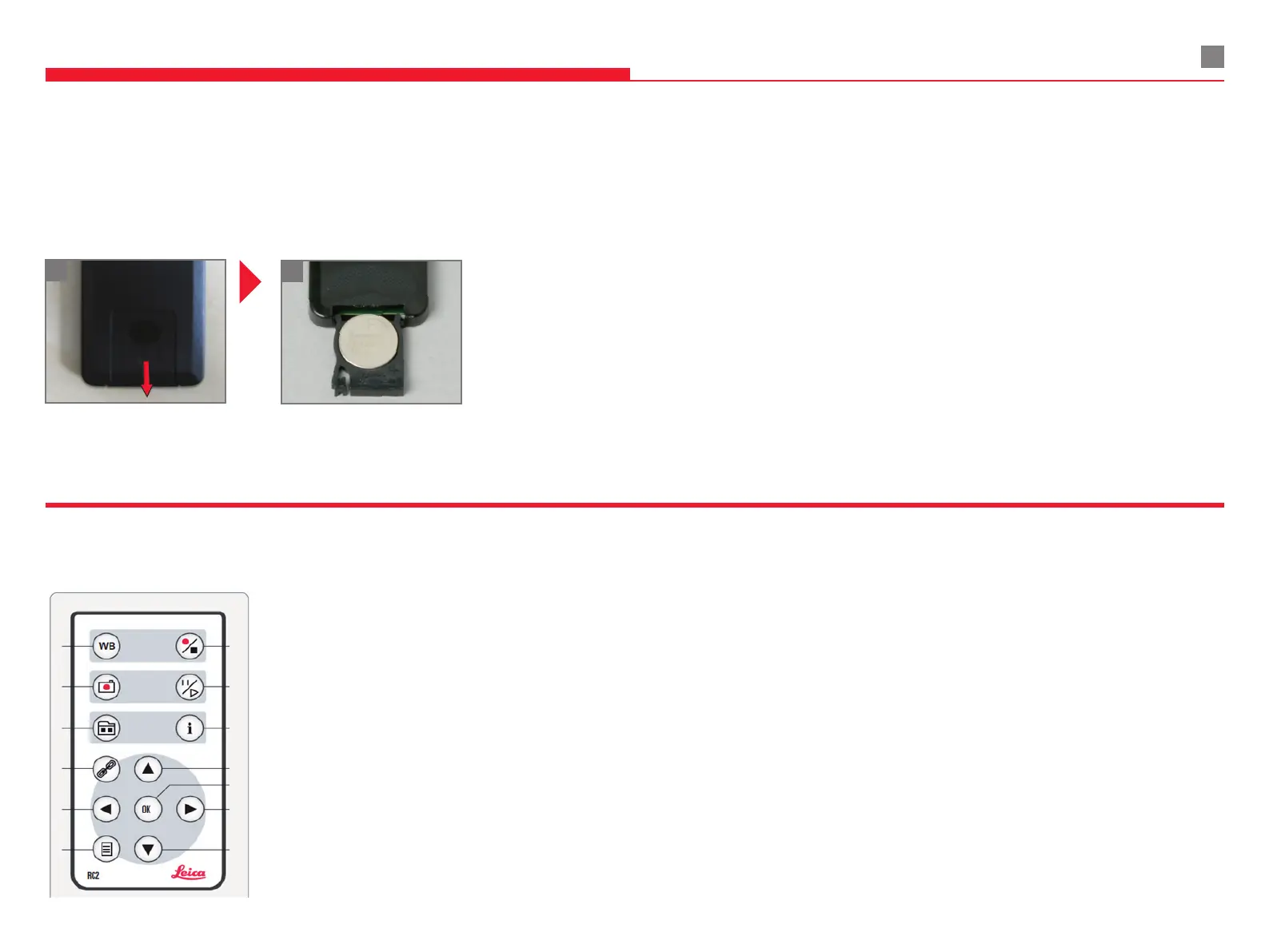
Overview
1 Perform white balance adjustment
2 Save still image to SD Card
3 Thumbnail mode / live view mode
4 Perform remote control pairing
5 Arrow keys for navigation
6 Enter / exit Camera Menu
7 Start / stop video recoding
8 Freeze live view / pause video
9 Show / hide information menu
10 Arrow keys for navigation
11 OK / conrm
1
2
8.3.3 REMOTE CONTROL
Remove the battery insert
from the rear side.
Replace the battery.
(Button battery type CR2032)
Changing the battery
8 COMPONENTS AND ACCESSORIES


 To Next Page