42
SET WB PRESS OK
WB MODE
MANUAL
RED LEVEL 039
BLUE LEVEL 039
BLACK LEVEL 000
COLOR
EXPOSURE
RESOLUTION
SETUP CAMERA
SETUP USER
SET FILENAME
SET WB PRESS OK
WB MODE
AUTO
RED LEVEL 039
BLUE LEVEL 039
BLACK LEVEL 000
COLOR
EXPOSURE
RESOLUTION
SETUP CAMERA
SETUP USER
SET FILENAME
SET WB PRESS OK
WB MODE MANUAL
RED LEVEL 039
BLUE LEVEL 039
BLACK LEVEL 000
SET WB PRESS OK
WB MODE MANUAL
RED LEVEL 039
BLUE LEVEL 039
BLACK LEVEL 000
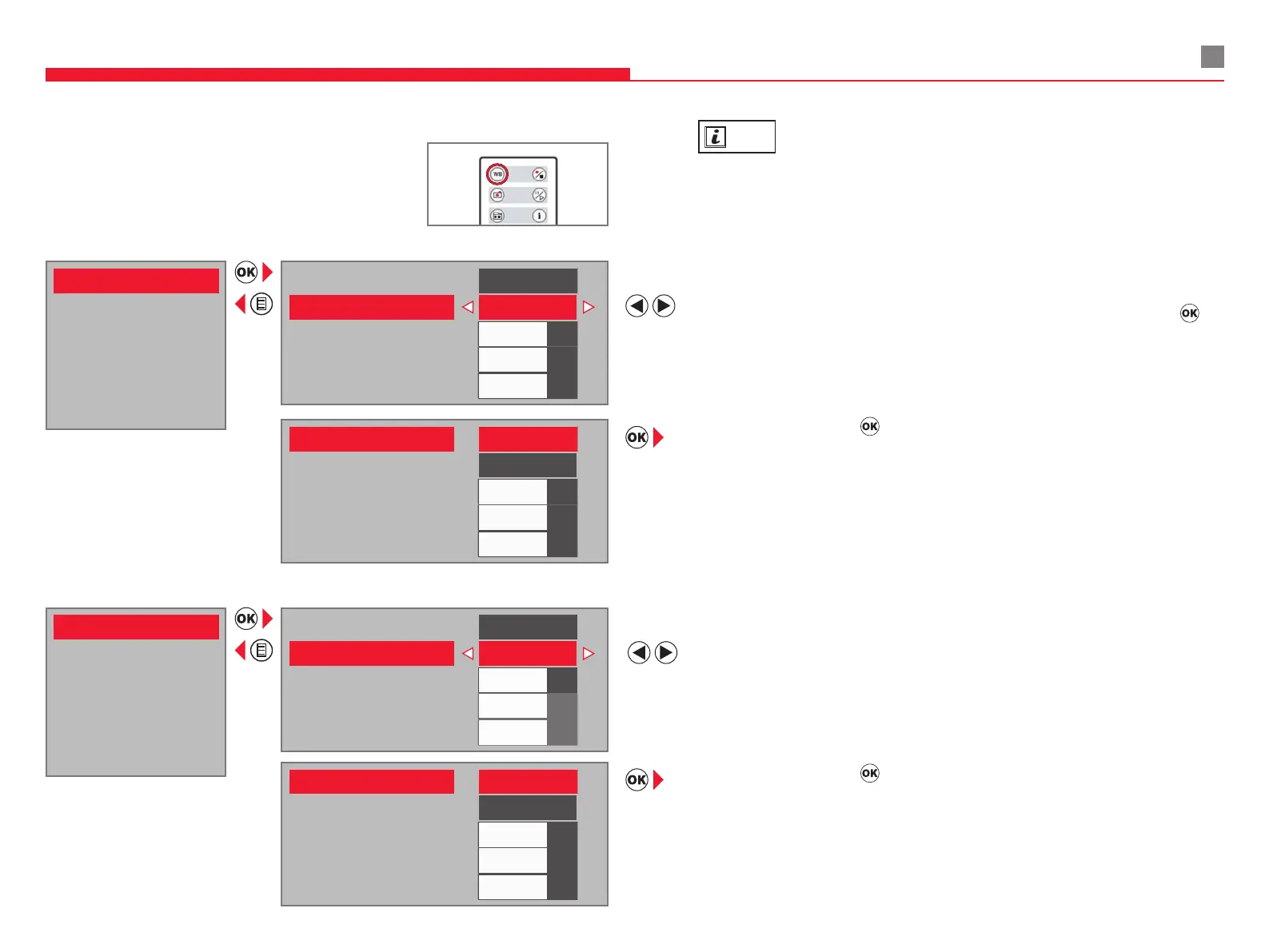
Select “MANUAL” for manual white balance mode (WB mode) - recommended.
Lay a neutral white paper or gray chart under the focus of the microscope. Press
on
the remote.
Select “SET WB” and press
. Then, adjust ‘RED LEVEL’, ‘BLUE LEVEL’, and ‘BLACK
LEVEL’ as needed.
INFO
Use neutral white or gray color chart for manual white balance adjustment.
Lay a neutral white paper or gray chart under the focus of the microscope.
Press "WB" on the remote control.
Select “AUTO” for automatic white balance adjustment.
White balance is adjusted automatically in real-time.
Select “SET WB” and press
. Adjust the “BLACK LEVEL” as needed.
COLOR (white balance)
Manual White Balance (recommended)
Automatic White Balance
8 COMPONENTS AND ACCESSORIES


 To Next Page