39Leica RM 2155 Rotary Microtome
15. Accessories
15.1 Non-orienting specimen clamping system
The orienting specimen clamping system can be re-
placed by a non-orienting system.
Dismounting the orienting specimen clamping
system
Release the handwheel brake.
Remove the knife holder.
Remove the specimen clamp.
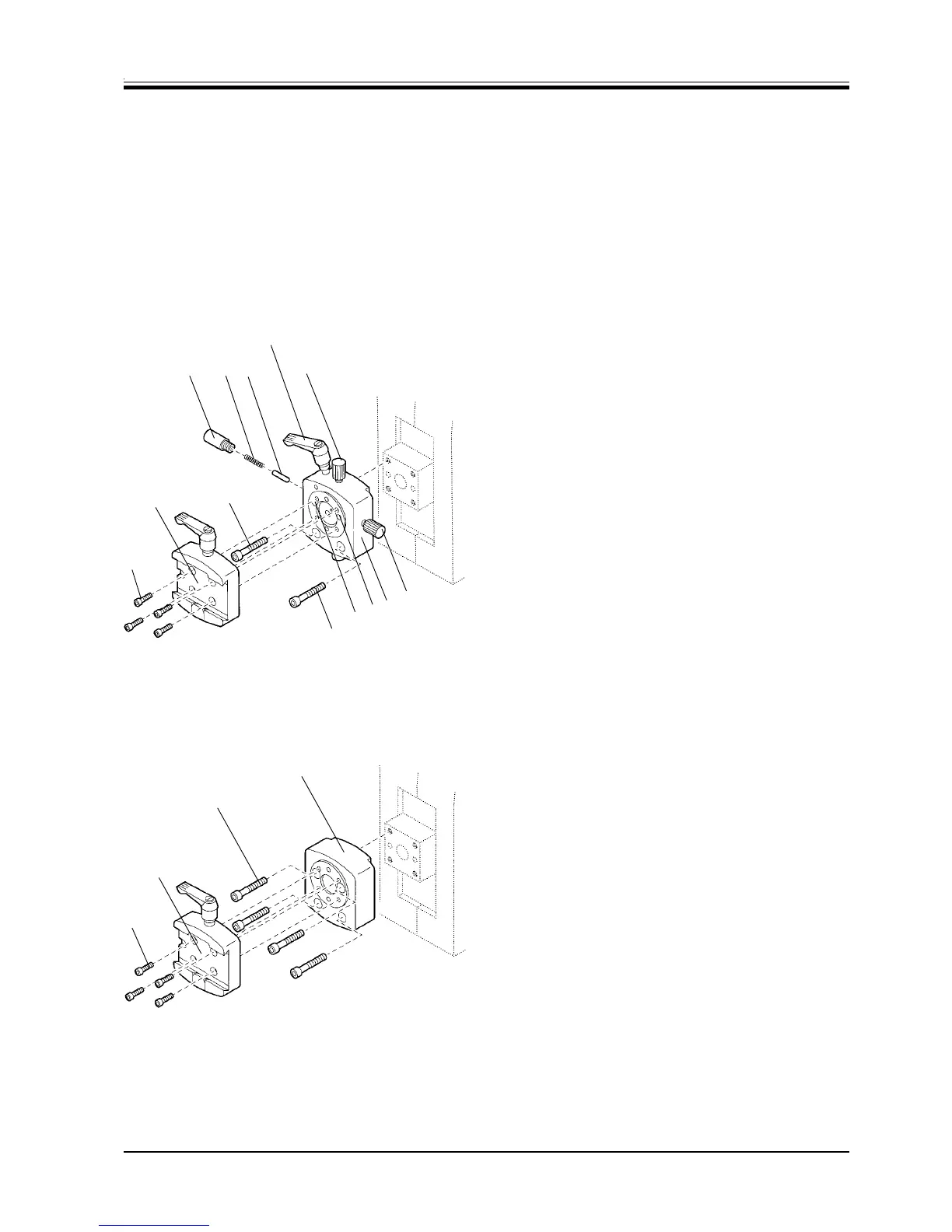
Loosen the 4 screws (1) with an Allen key size 3 and
remove the dovetail adapter (2).
Unscrew the orienting screws (3) and (4) and re-
move.
Unscrew the thrust piece (5) with a screw driver
and pull it out together with the spring (5a) and the
pin (5b).
To remove, turn the eccentric bolt (6) counterclock-
wise.
Loosen the 2 screws (7) and 2 screws (8), which
are accessible through the holes (9) and remove
the orienting specimen clamping system (10).
To mount, proceed in reverse order.
Mounting the non-orienting specimen clamping
system
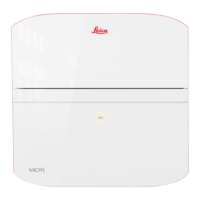
Place the non-orienting specimen clamping system
(11) on the microtome cylinder as shown and fix with
the 4 screws (12) by using an Allen key size 4.
Place the dovetail adapter (2) on the specimen
clamping system (11) and tighten the 4 screws (1)
with an Allen key size 3.
To dismount, proceed in reverse order.
Fig. 39.1
1
2
35b5a5
6
9
7 + 8
7 + 8
Fig. 39.2
1
11
12
2
9
10
4



 To Next Page