44 Instruction Manual V1.1 01/2001
15. Accessories
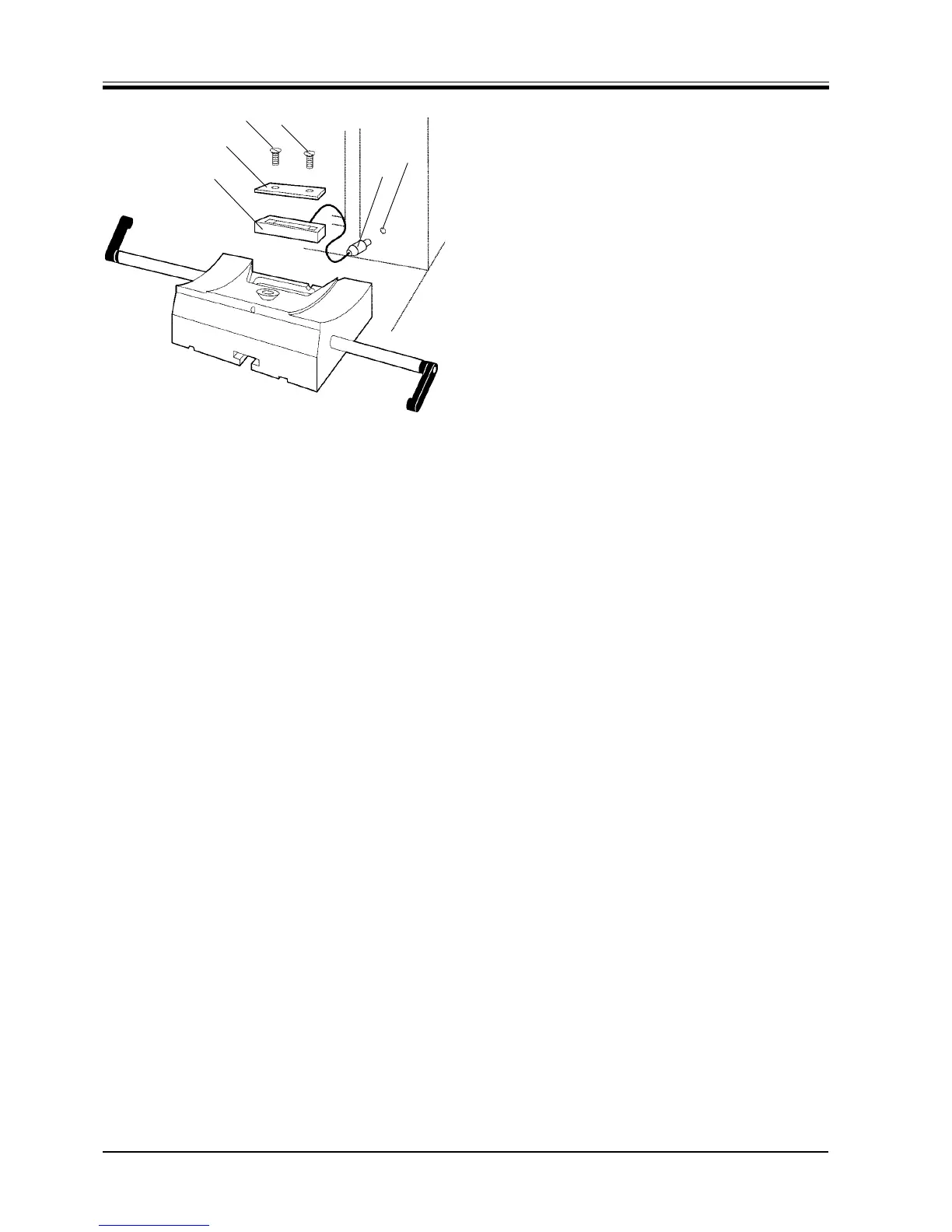
15.4 Mounting the backlighting
The backlighting can be used only in combination with
the knife holder base without lateral displacement func-
tion described above.
Loosen the 2 screws (1) with the provided screw
driver and remove the cover plate (2).
Insert the backlighting (3) in the recess at the rear
of the knife holder base.
Connect the plug (4) to the socket (5) on the micro-
tome.
The backlighting illuminates once the microtome is
turned on with the mains switch.
Fig. 44
1
1
4
5
3
2


 To Next Page
 Loading...