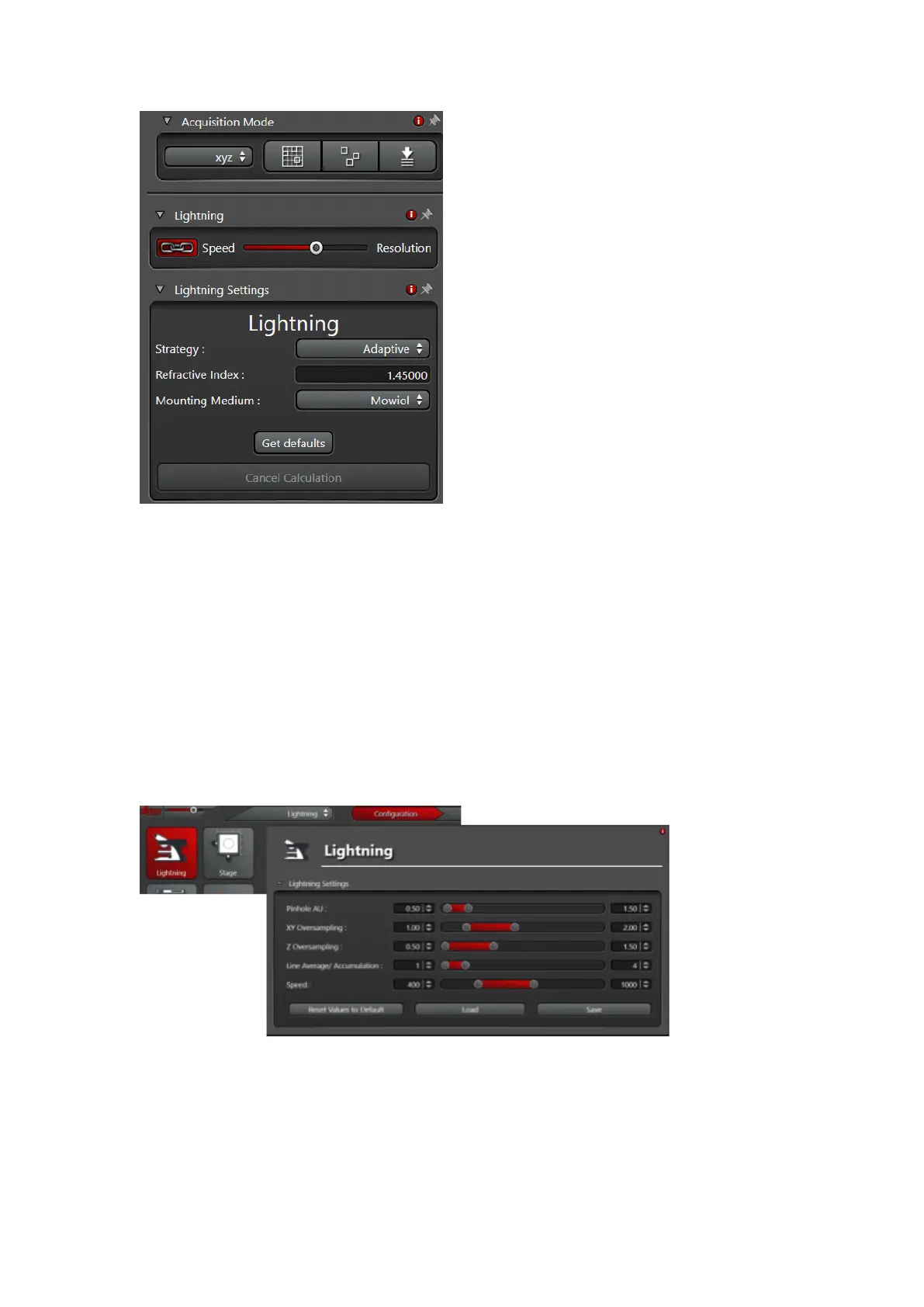
Fig.10
• Select your deconvolution Strategy: Adaptive or Global
!!! Note: In the Adaptive setting Background and bright pixels are treated
differently which might lead to non-linearity in your results (may create problems
in quantitative measurements). The Global method is treating every pixel in the
same way!!!
• Put in the embedding medium that you have used for your sample preparation
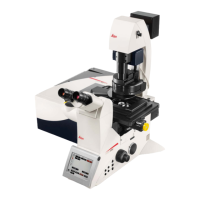
Fig.11
• To change factory deconvolution settings, go to Configuration, Lightning Tab
(Fig. 11)
• We recommend to use pinhole 0.6 AU and oversampling of 1.7


 To Next Page