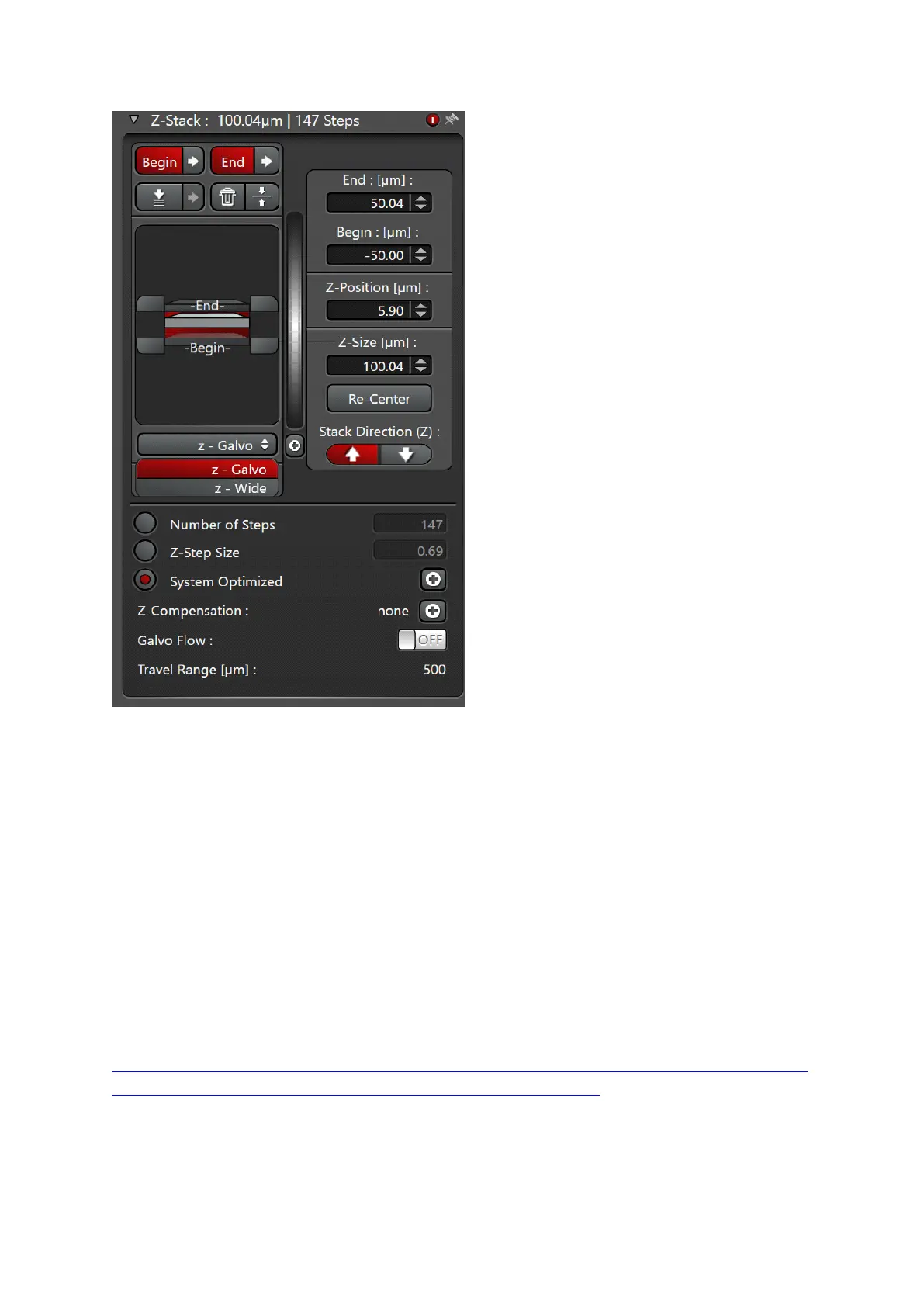
Fig.6
Select ‘Z-galvo’ or z-Wide in the ‘Z-stack’ menu
Start scanning with ‘live’.
Use ‘Z position’ knob on the control panel, select the first slice.
Press ‘begin’ in the Z-stack menu. Move focus up with ‘Z position’, select
the most superficial slice, press ‘End’.
Set up Z-step size according to your needs or activate system optimized
for Nyquist settings according to the objective and pinhole settings used
Additional info @:
file:///C:/Program%20Files/Leica%20Microsystems%20CMS%20GmbH/LAS%20X/BIN/UserHelp/U
serHelpEnglish/Default.htm#DLG/Acquire/DLG_acquire_z_stack.htm


 To Next Page