MS50/TS50/TM50, Operation
47
Connect to
computer via USB
cable step-by-step
Step Description
1. Start the PC.
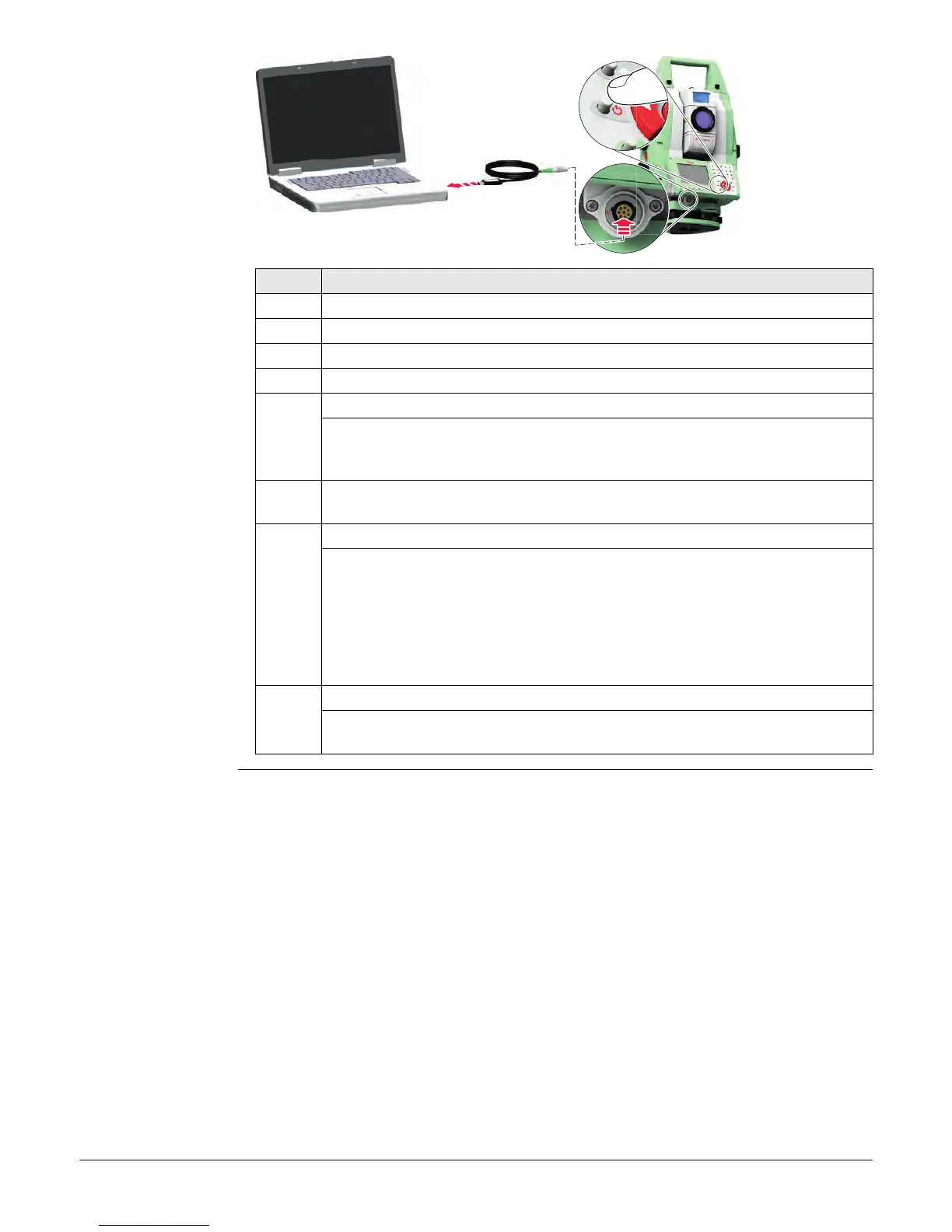
2. Plug the GEV234 or GEV261 cable into TS instrument.
3. Turn on the TS instrument.
4. Plug the GEV234 or GEV261 cable into the USB port of the computer.
For PCs with Windows XP operating system:
ActiveSync starts up automatically. If does not start automatically,
start ActiveSync. If not already installed, run the ActiveSync installa-
tion program.
5. Allow USB connections inside the Connection Settings window of
ActiveSync.
6. Click Explore in ActiveSync.
The folders on the TS instrument are displayed under Mobile
Devices. The folders of the data storage device can be found in
either of the following folders:
• Leica Geosystems\SmartWorx Viva
• SD Card
• USB memory device
For PCs with Windows Vista or Windows 7/Windows 8 operating system:
Windows Mobile Device Center starts up automatically. If does not
start automatically, start Windows Mobile Device Center.
005011_001
2
3
4



 To Next Page