13
4. Troubleshooting (For live support call 1-800-432-3738, Mon-Fri 6:00-4:30 Pacic Time)
Q. I have connected my headset base to my phone but the headset is not working
A. Make sure that the battery has been properly charged. Your headset requires an initial
4-hour charge before its rst use
Q. The headset is working but I cannot hear telephone calls correctly
A. Ensure that you have the correct compatibility setting by adjusting the switch on the
bottom of your headset base. The most common compatibility is 1. Cisco telephones
should be set to 4 when using the headset jack
Q. When the headset’s ON/OFF button is pressed, the handset lifter lifts the handset but
I cannot hear the call on the headset
A. Ensure that the headset base is connected to the telephone’s handset port and not the
headset port (if the telephone has one)
5. Health and safety instructions
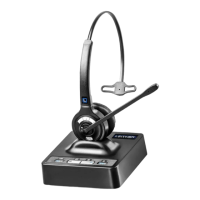
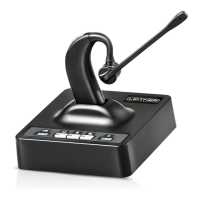
Please read the following safety and operational instructions before using your Leitner
LH280. Please keep these instructions for your reference. When using this product, these
basic safety precautions and warnings should be followed to reduce the risk of re, electric
shock, injury to persons and damage to property.
General
Operating, charging and storage temperature is 0°C to 40°C (32°F to 104°F).
Warnings
• Never allow children to play with the product - small parts may be a
choking hazard
• Plug the AC adaptor into the outlet nearest the equipment that is easily accessible
• To reduce the risk of electric shock, explosion or re, use only the supplied charger or
Class 2 AC adaptor to charge the headset. Ensure that the voltage rating
(e.g. 120V, 60 Hz) corresponds to the power supply you intend to use



 To Next Page