7
2.4 Connecting a Leitner Electronic Hookswitch (EHS) cable
• Connect the EHS cable to your telephone as indicated in its user guide
• Connect the EHS cable to the AUX and TEL ports on the back of the headset base
Refer to the user guide for the EHS cable for the correct setting of the Accessory
selection switch
With the handset lifter or EHS cable connected, you will be able to answer and end calls
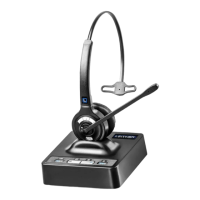
using the ON/OFF button located on the headset — up to 350 feet away from your desk
2.5 Connecting to your computer USB port
• Connect the included USB cable to the USB port on the back of the
headset base and the other end to an available USB port on your computer
• Your computer will automatically recognize the device and install the correct
drivers. Wait a few seconds before using the headset
2.6 Replacing the eartip
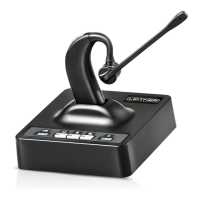
To replace the eartip of your LH280, twist the eartip 90 degrees and pull the eartip towards
you
3. Operation
3.1 Making an outgoing call in telephone mode
• Ensure that the TEL button on top of the headset base is selected
• Press the headset’s ON/OFF button. The base’s Online Indicator will light
• If a handset lifter or electronic hookswitch device is connected to the headset base,
the line will be engaged automatically. Otherwise, you will need to lift the handset
of your telephone or activate the headset button on your telephone



 To Next Page