15
NOTE:
The built-in preset kit cannot be exported.
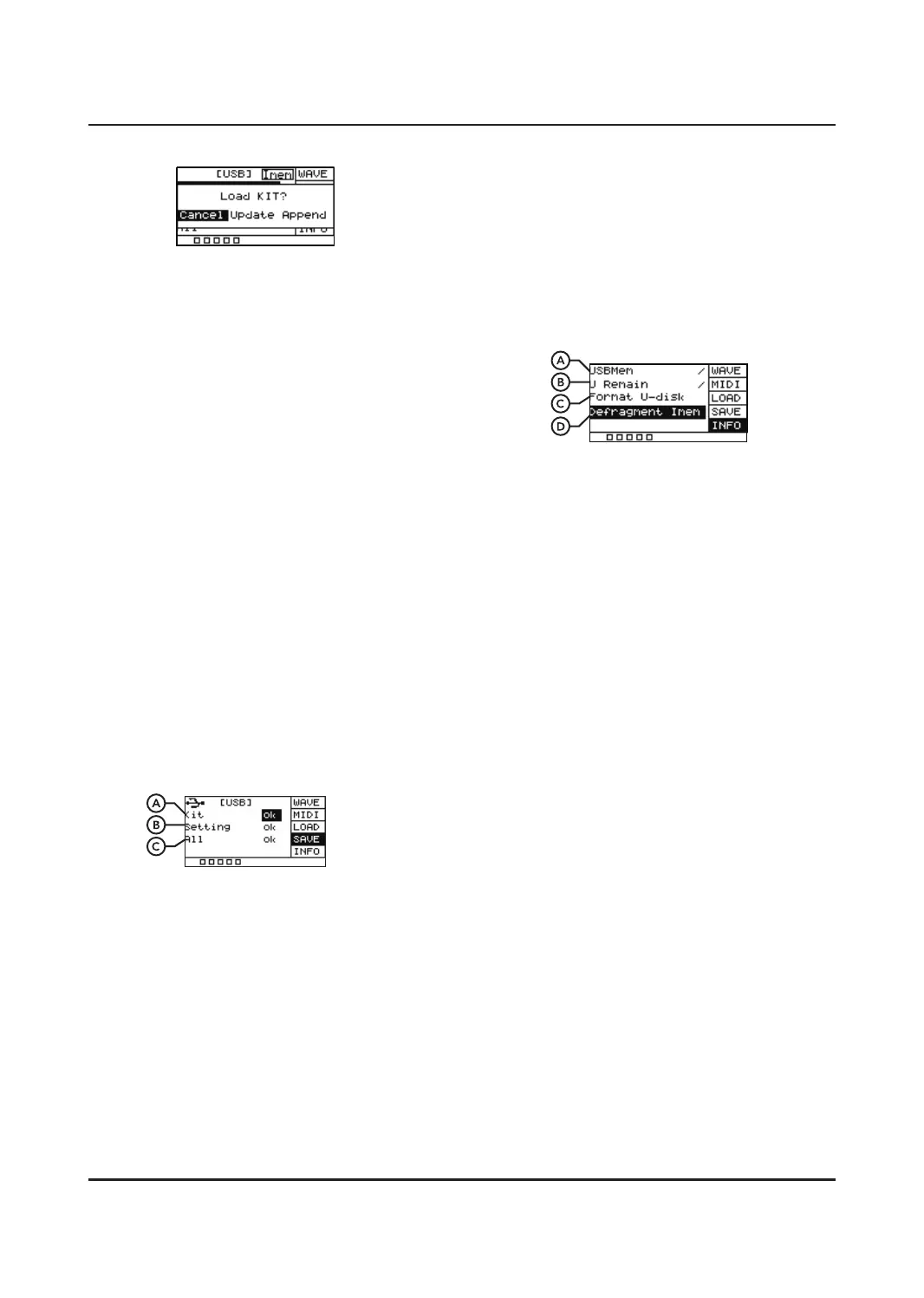
INFO
Displays information relating to the total and
remaining storage on your USB stick as well
as giving the option to format.
A. USBMem
Displays total size of USB memory stick.
B. U Remain
Displays remaining storage available on
USB memory stick.
C. Format U-disk
This function is used to format the USB
memory stick. Press [OK] and you will be
given an option between YES and NO.
Highlight the appropriate option and press
[OK] to confirm. Make sure to back up any
import files before formatting.
D. Defragment Imem
Memory collation, which will take a long
time. Do not power o during operation.
Press [ SELECT] to scroll through the dierent
settings and click [OK] to choose between
them. Append will import the selected files.
Selecting Cancel will cancel the action.
Selecting Update will overwrite the previously
imported files. Press [OK] to confirm.
NOTE:
When importing sounds via USB stick. The
wave files must meet the following criteria:
1. All sounds must have a 48K sampling rate,
16 bit, 1 channel.
2. The wave files that imported can not
exceed the memory of pad, the excess
sounds can not be downloaded.
3. The name of the sound is limited to 16
characters.
4. Can not put MP3, MIDI, can only put wave
files.
EXPORT
This function is for exporting drum kit
configurations, user sounds, settings and MIDI
data from the UNIT onto a compatible USB
memory stick. Scroll through the dierent
settings below and click OK to begin the
exporting process.
Pressing [OK] will give you a yes or no choice,
YES will export the selected fi les, NO will
cancel the action.
A. Kit
Exports user sounds, drum kit
configurations, and MIDI data
B. Setting
Exports all of the pad’s settings.
C. All
Exports both Setting and Kit data.


 To Next Page