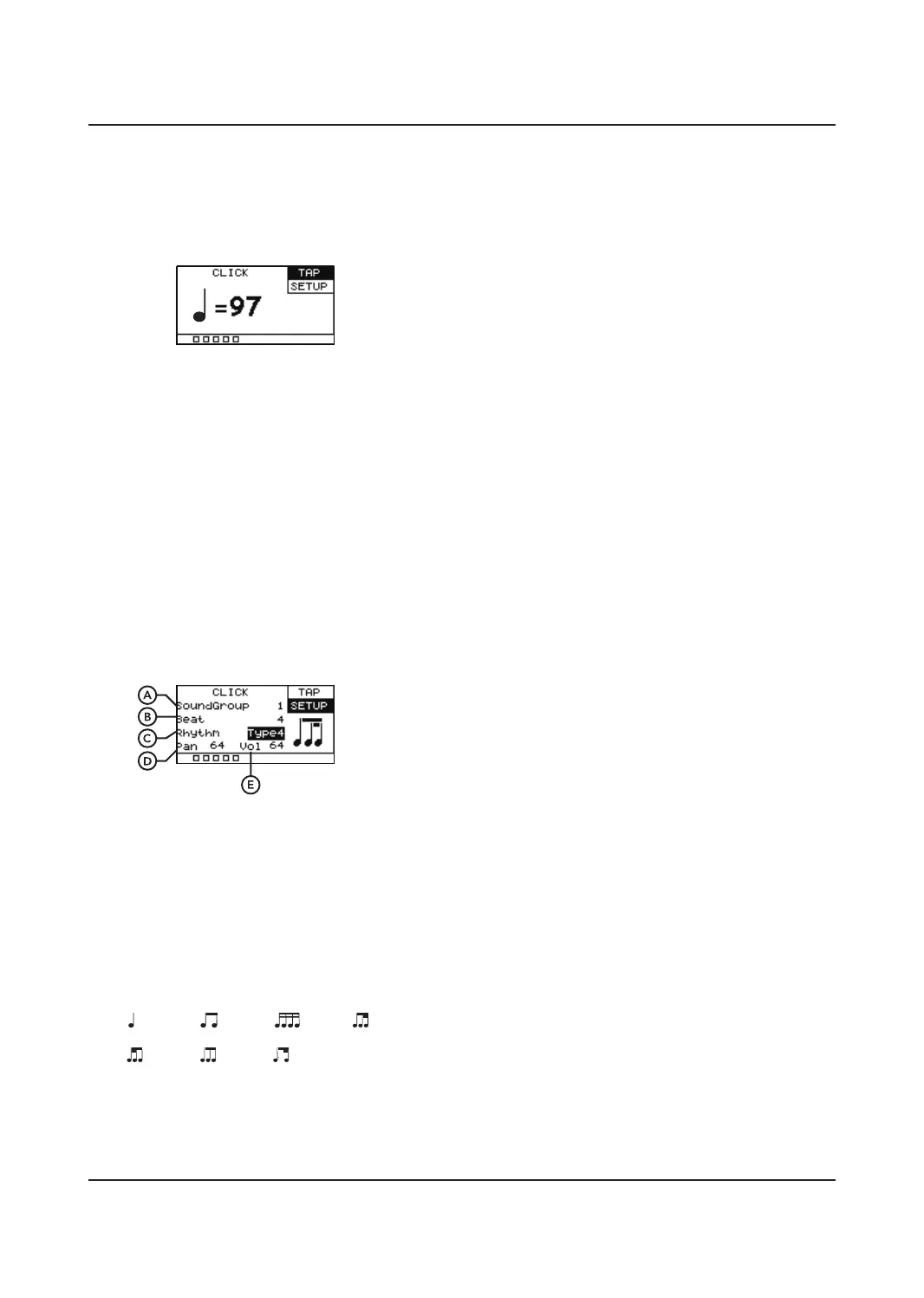
CLICK MODE
Press the [CLICK] button to activate the
metronome, hold for two seconds to enter
into the CLICK menu.
TAP
There are two ways to adjust the tempo (from
20 – 240 bpm).
A. Use the SCROLL WHEEL or [+]/[-]
buttons to adjust the tempo.
B. Tap any pad more than one time, the tempo
will be displayed on the TAP screen.
SETUP
Allows you to adjust the SoundGroup, Beat,
Rhythm, Pan and Volume.
A. SoundGroup
Controls the sound of the metronome,
there are 5 built into the unit.
B. Beat
Controls the number of clicks per measure,
select from 1 - 16.
C. Rhythm
7dierent click patterns are available.
D. Pan
Controls the pan of the metronome output,
0 = Fully Left, 64 = Centre, 127 = Fully Right.
E. Vol
Controls the metronome volume.
8
1. 2. 3.
3
4.
5. 6. 7.


 To Next Page