11. MASTER VOLUME
Controls the main output volume for the
UNIT.
Important notes
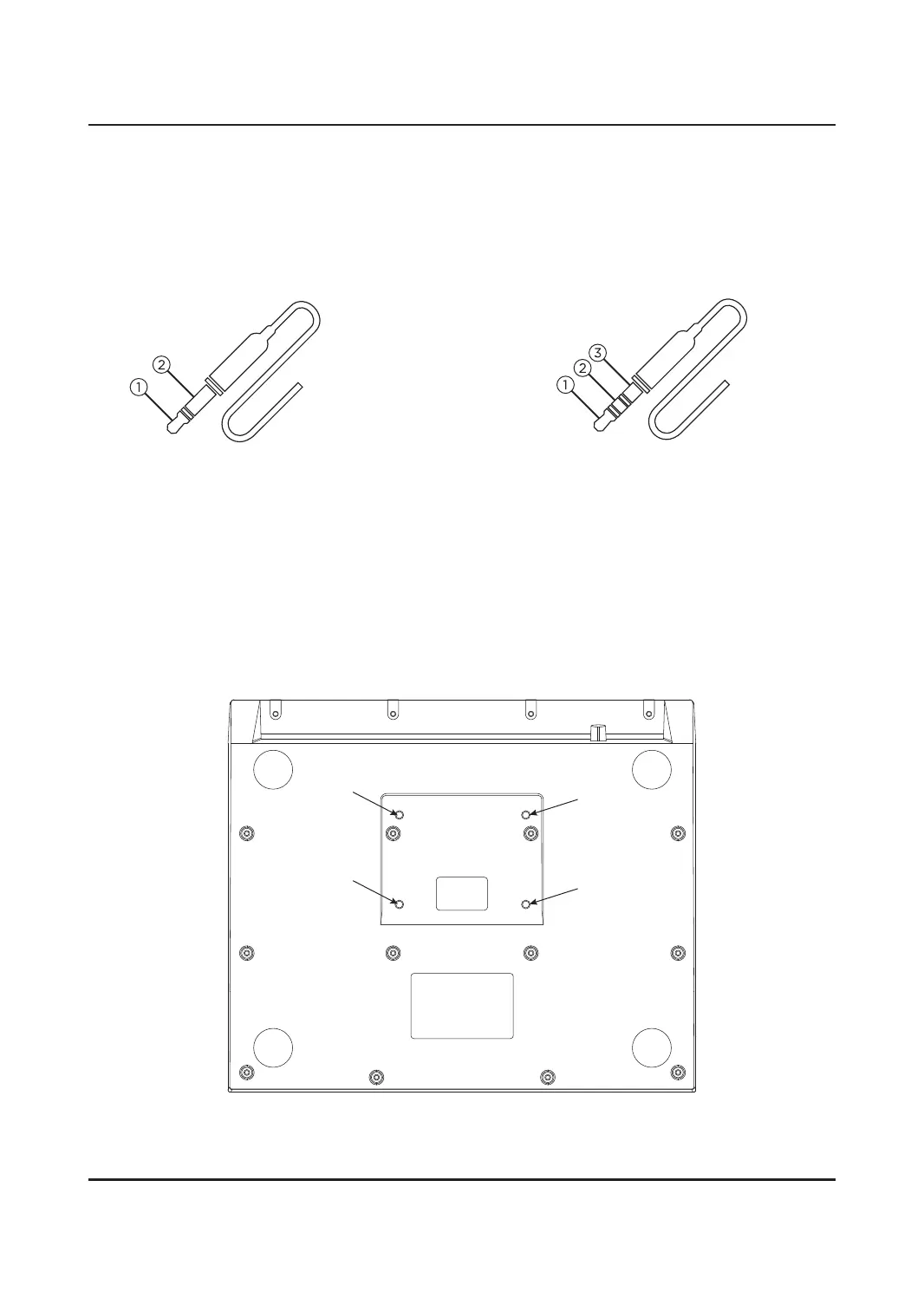
1/4" TS phone plug
(mono, unbal‐anced)
1. Signal
2. Ground, shielding
Note:
1. Use the audio cable correctly; otherwise, the device may fail to work properly.
2. This product does not have a sound equipment, requires to connect external audio equipment such as
amplifier, loudspeaker, earphone, etc.
3. The instructions in the manual and the contents on the screen may be dierent from the actual ones
because your device may be using a more advanced version of the system.
BOTTOM PANEL
The UNIT can be played flat on desktop or placed on most common snare drum stands. A clamp and stand
made specifically for the UNIT is available to purchase at the website.
12. HEADPHONES
1/4" output jack for connecting headphones,
control output level with VOLUME WHEEL
on the front panel.
Three-pole 1/8" mini phone jack
(stereo, unbalanced)
1. Signal (left)
2. Signal (right)
3. Ground, shielding
3


 To Next Page