25
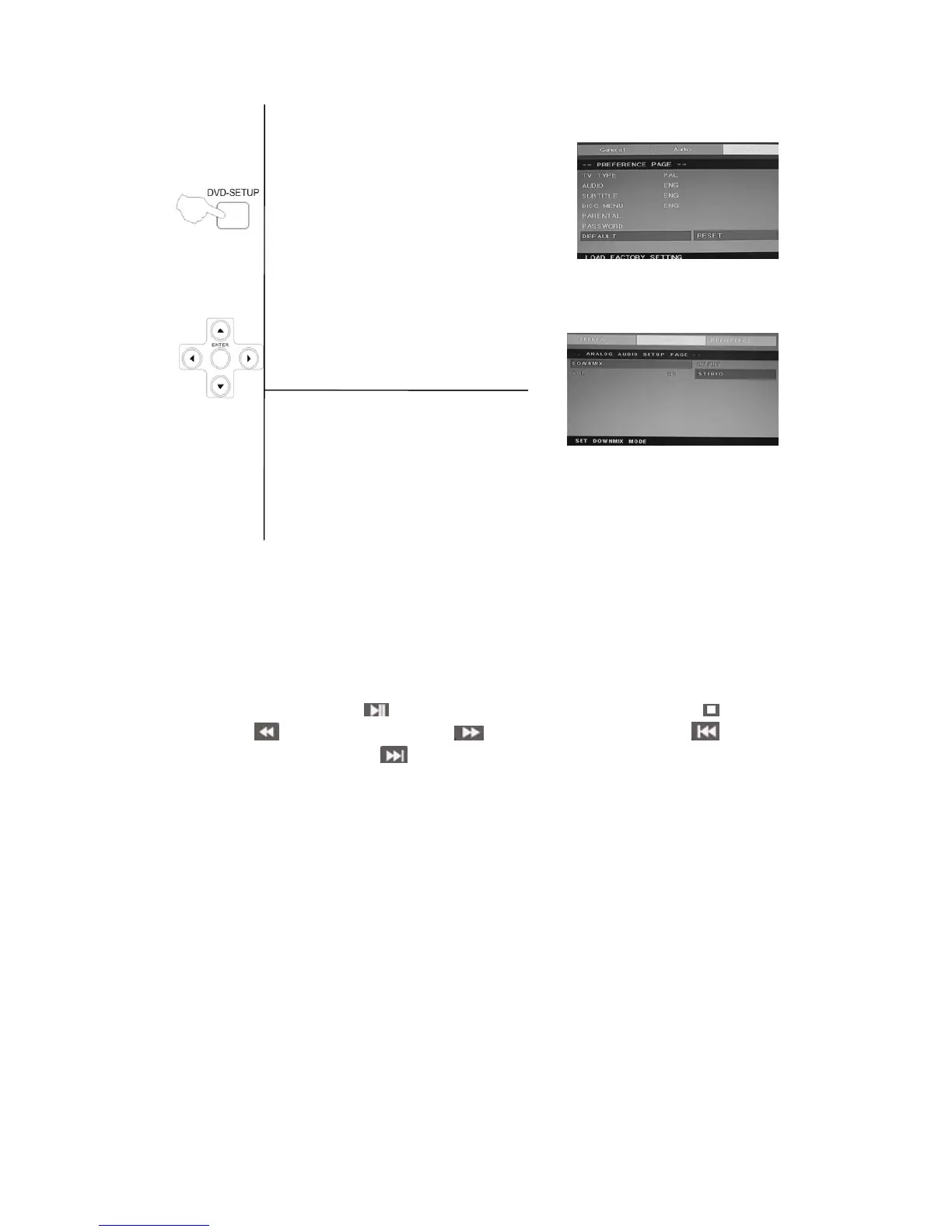
Default: resets all settings (except password
and parental lock status) for this DVD player
back to the manufacturers original settings,
press ENTER to perform the reset,
Note;
Some functions may not be available
depending no the type of disc.
ANALOG AUDIO SETUP PAGE
1.Press the DVD-SETUP button,the Analog
Audio Setup Page, Preference
Page will be displayed in turn.
2.press c or d to select,the item,then press to enter the submenu.
3.Press c or d to select then press PLAY/PAUSE or ENTER to comfirm.
4.Press DVDSETUP repeatedly to exit the set-up menus.
Note1: If the DVD have the USB and CARD terminal, you can use the function with these
operation as below. When the current source is DVD, press “USB/CR” button to display the
threshold. Press “c/d” button to select “USB” or “CARD” and press “ENTER” button to confirm.
Press “c/d” button to select the item which you want to play and press the “ENTER” button to
play . Press “e” button to return back the previous catalogue when you have enter one
subdirectories at least . Press “
” button to start playing or pause playing . Press “ ” button to
stop . Press “
” to play backward . Press “ ” button to play forward . Press “ ” button to
skip the previous chapter . Press “
” button to skip the next chapter .
Note2:The DVD's work temperature is 0℃ to 40℃.



 To Next Page