6
Main unit description
Control Panel Button Function
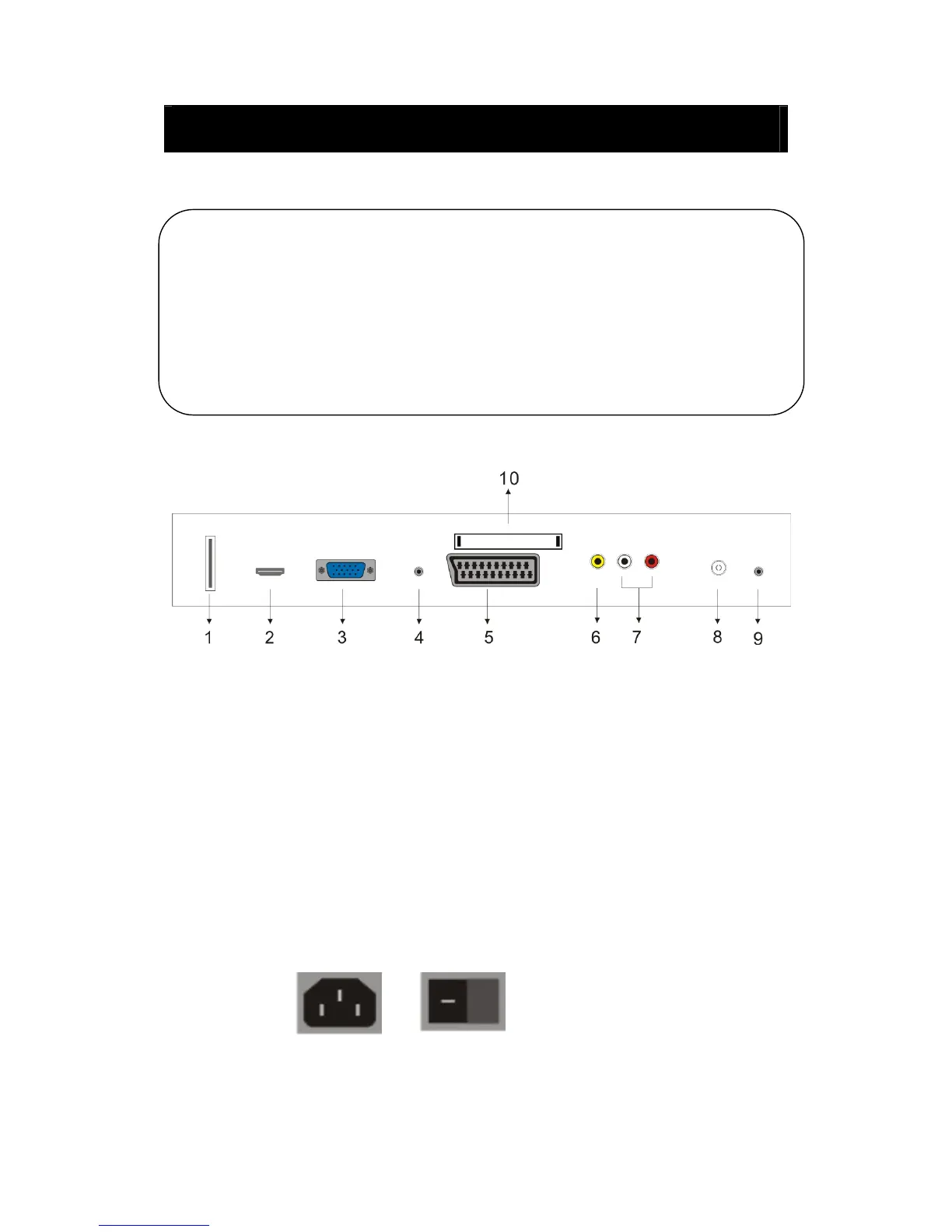
TV Terminal Connections
1. USB input terminal (Only used for upgrading software).
2. HDMI input terminal.
3. VGA input terminal.
4. PC AUDIO input terminal.
5. SCART input terminal.
6. Video input terminal .
7. AUDIO input terminal.
8. ATV antenna/close circuit TV network port or DTV antenna port.
9. HEADPHONE output terminal.
10. CI input terminal. (optional)
Power Input Configuration
AC POWER
VOL+ : Volume up.
VOL- : Volume down.
CH+ : TV channel up.
CH- : TV channel down.
MENU : Press to select the main menu.
TV/AV : Select the input signal.
POWER : Switch on when in
standby mode or enter the standby mode.



 To Next Page