- 14 -
BAS
IC OPERATION
JPEG PICTURE DISC PLAYING FUNCTION
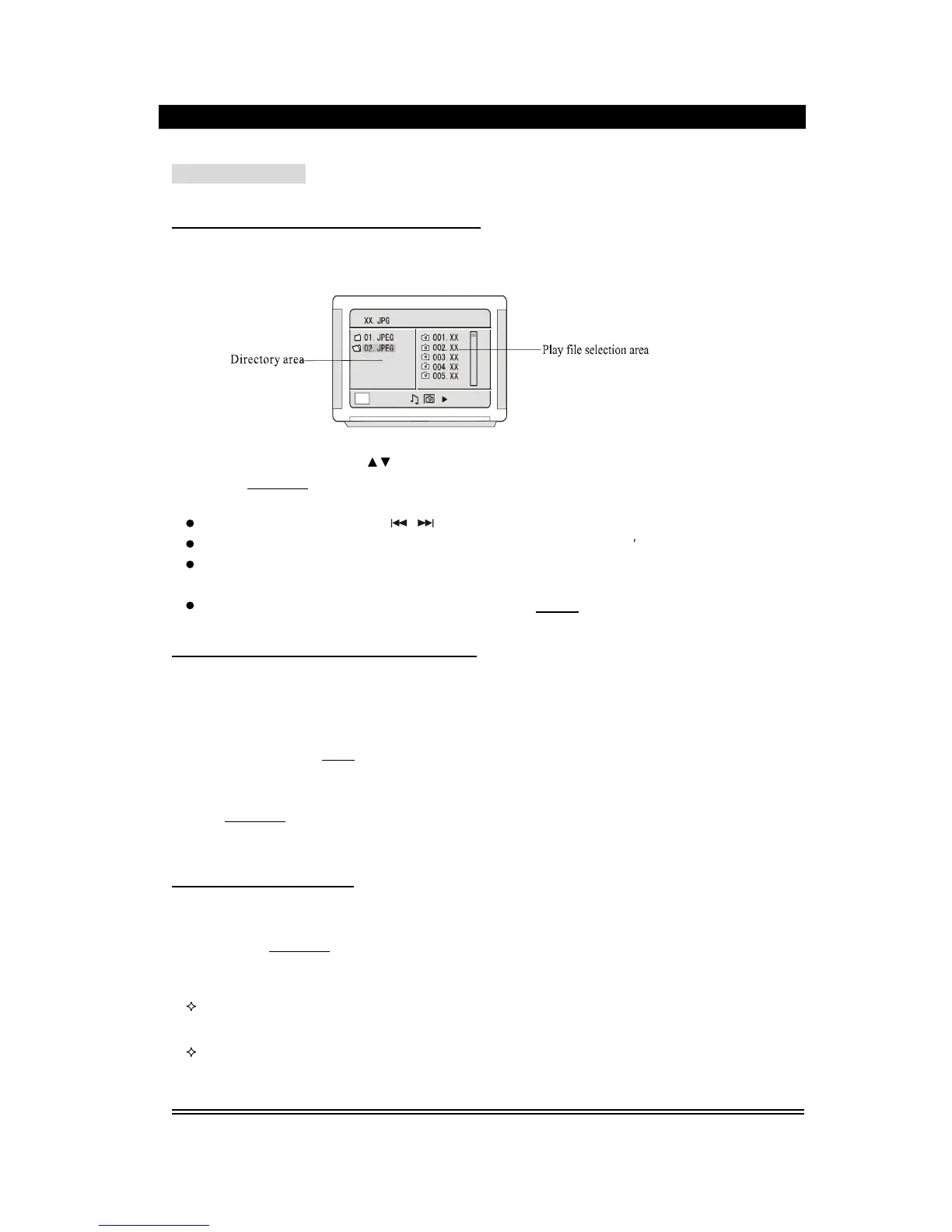
1). Place the JPEG disc into the deck, this unit will begin to read, the mail directory will
be displayed on
the
TV screen.
2). Press the direction button
to move the cursor to the corresponding directory,
press
Play/Enter
button to enter the next layer, and so on, until the desired picture is
found for play.
During play, number buttons or
button can be use
d to select pictures.
JPEG pictures may distort at the edge to some TV sets, this is not the unit
s fault.
This unit can play the digital photo discs with extension name .JPEG, and also
support
the
picture that made by Adobe Photoshop.
If you want to repea
t playing some pictures, pressing the
Repeat
button is OK.
DVD TITLE MENU SELECTION FUNCTION
DVD disc features high capacity, records more than one movie, background data and
songs. It is hereby given a name of TITLE, while more section will be given under each
TITLE, which are called Chapters. There are some songs in one chapter. During playing
DVD discs, press the
Menu
button,
the
TITLE button will appear on the TV screen.
(Available for the DVD discs that contain more than one title menu)
You can use the direction buttons to move the cursor to the desired title menu, press
Play/Enter
button to play it. If the title menu is represented by numbers, then
press the number buttons to select directly.
INTELLIGENT UPGRADE
Place the upgrade disc into the deck, the unit will play automatically. According to the
prompt, press
Play/Enter
button, the unit will read the disc data before it comes out of the
deck automatically. At
the
time, the unit is performing upgrade, which will lasts for 2-
3
minutes. After it, y
our player has been equipped with brand new features.
During upgrading, operations such as power failure, functional operation or remote
control
are strictly
forbidden
.
The upgrade discs shall be provided by our company, while those from other
companies m
aybe damage this unit.


 To Next Page