5. Browser
Click icon to enter browser interface
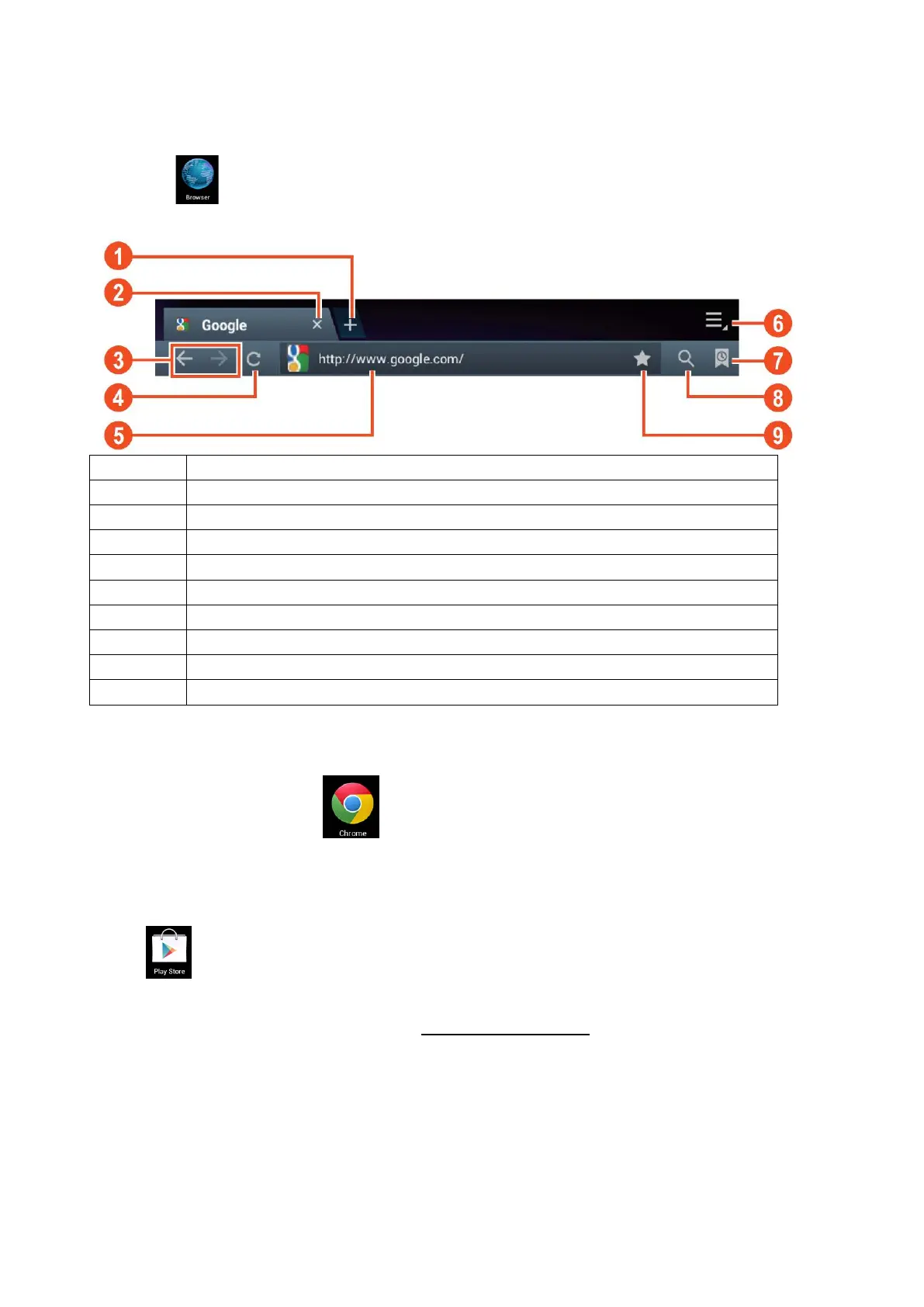
Go back or to the next website in the browser history.
Reloads page, if the page can’t be reloaded this changes in an “X”
Enter web address or keyword.
Shows favorites, history and saved pages
Saves the current web address as favorite.
Note: The system ver. 4.1 includes Google browser. You will be asked to select
browser mode when using it for the first time, and you can select any one you like.
The new browser icon is
6. Play store
Open to view and download applications.
When running play store for the first time, you will be asked to login with your Google account, (if you
don’t have a Gmail account, apply for one at http://gmail.google.com
).
11


 To Next Page