Audio line-in connector
PCI Express X 16 graphics adapter slot (some models are equipped with a
graphic card)
PCI Express X 1 adapter slots (some models are equipped with a WIFI card
or TV tuner card)
Connecting your computer
Use the following information when connecting your computer.
• Lookforthesmallconnectoriconsonthebackofyourcomputer.Matchthe
connectors to the icons.
• Ifyourcomputercablesandconnectorpanelhavecolor-codedconnectors,
match the color of the cable end with the color of the connector.
Note: Your computer may not have all of the connectors described in this
section.
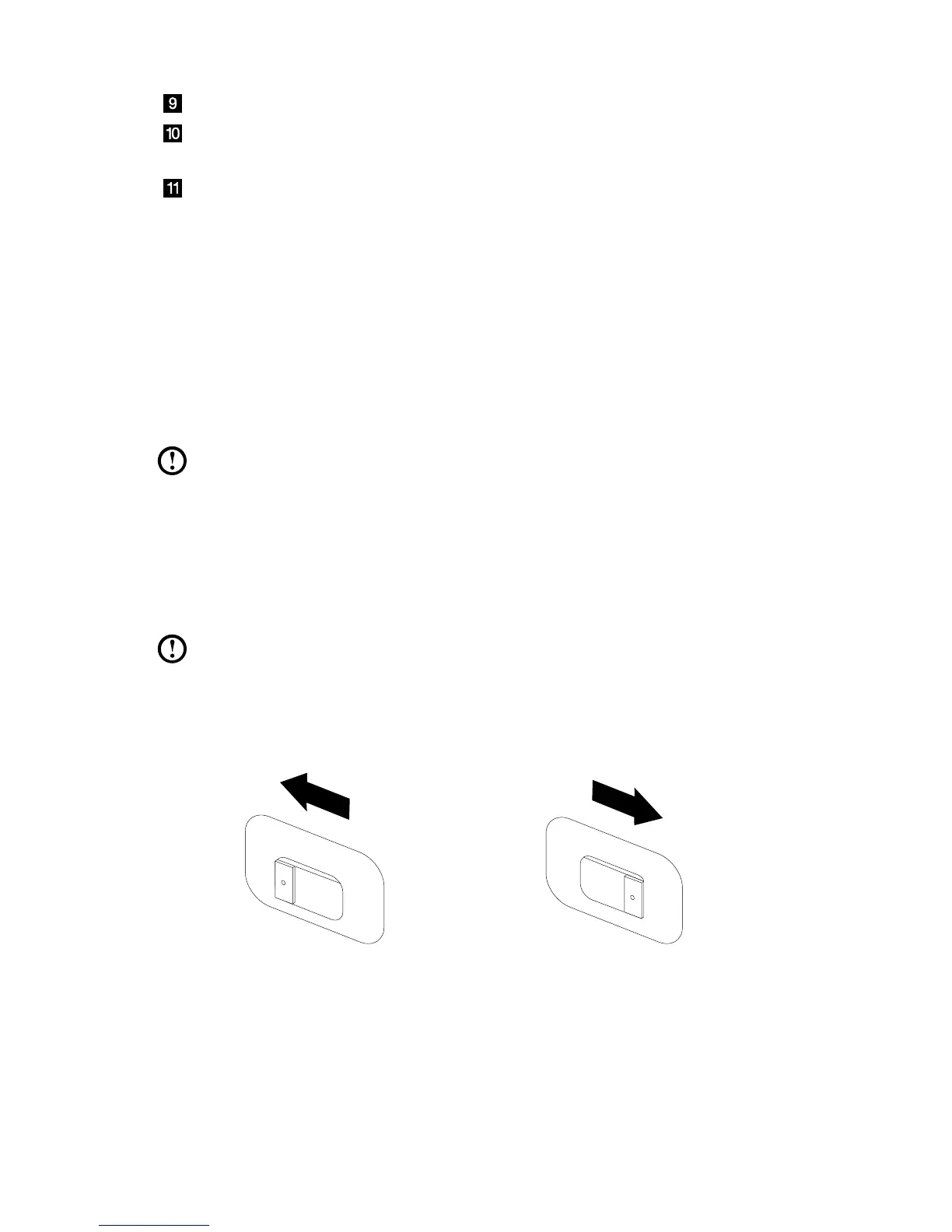
Check the position of the voltage-selection switch on
the rear of the computer. Use a ballpoint pen to slide
the switch if necessary.
Note: Some computers do not have a voltage switch. These computers
control voltage automatically.
• Ifthevoltagesupplyrangeis100-127VAC,settheswitchto115V.
• Ifthevoltagesupplyrangeis200-240VAC,settheswitchto230V.


 To Next Page