Completing the installation
After replacing a part or parts, you must close the computer cover and reconnect
all the cables, including telephone lines and power cords. Some parts will require
confirming updated information in the Setup Utility program. Refer to “Starting the
Setup Utility” in the Hardware Maintenance Manual.
To complete the installation:
1. Ensure that all components have been reassembled correctly and that no tools
or loose screws are left inside your computer. Refer to “Locating components”
for the location of the various components.
2. Make sure that the cables are routed correctly before replacing the computer
cover.
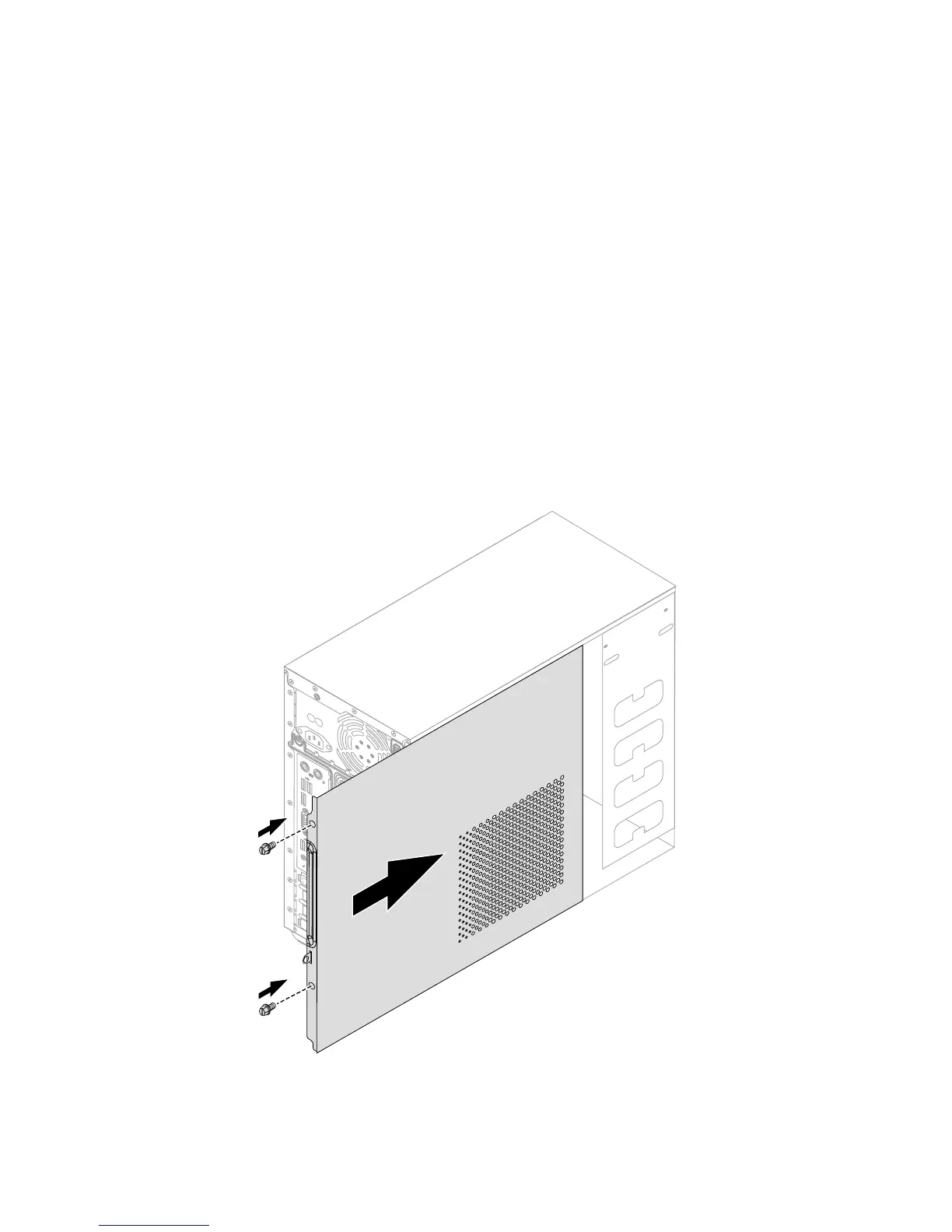
3. Position the computer cover on the chassis so that the rail guides on the
bottom of the computer cover engage the rails. Then, push the computer cover
closed until it snaps into position. Screw back the two screws on the chassis.


 To Next Page