Replacing a PCI or AGP adapter
Attention: Do not remove the computer cover or attempt any repair
before reading the “Important safety information” in the Safety and
Warranty Guide that was included with your computer or in the Hardware
Maintenance Manual (HMM) for the computer. To obtain copies of the
Safety and Warranty Guide or HMM,gototheSupportWebsiteat:
http://support.lenovo.com.
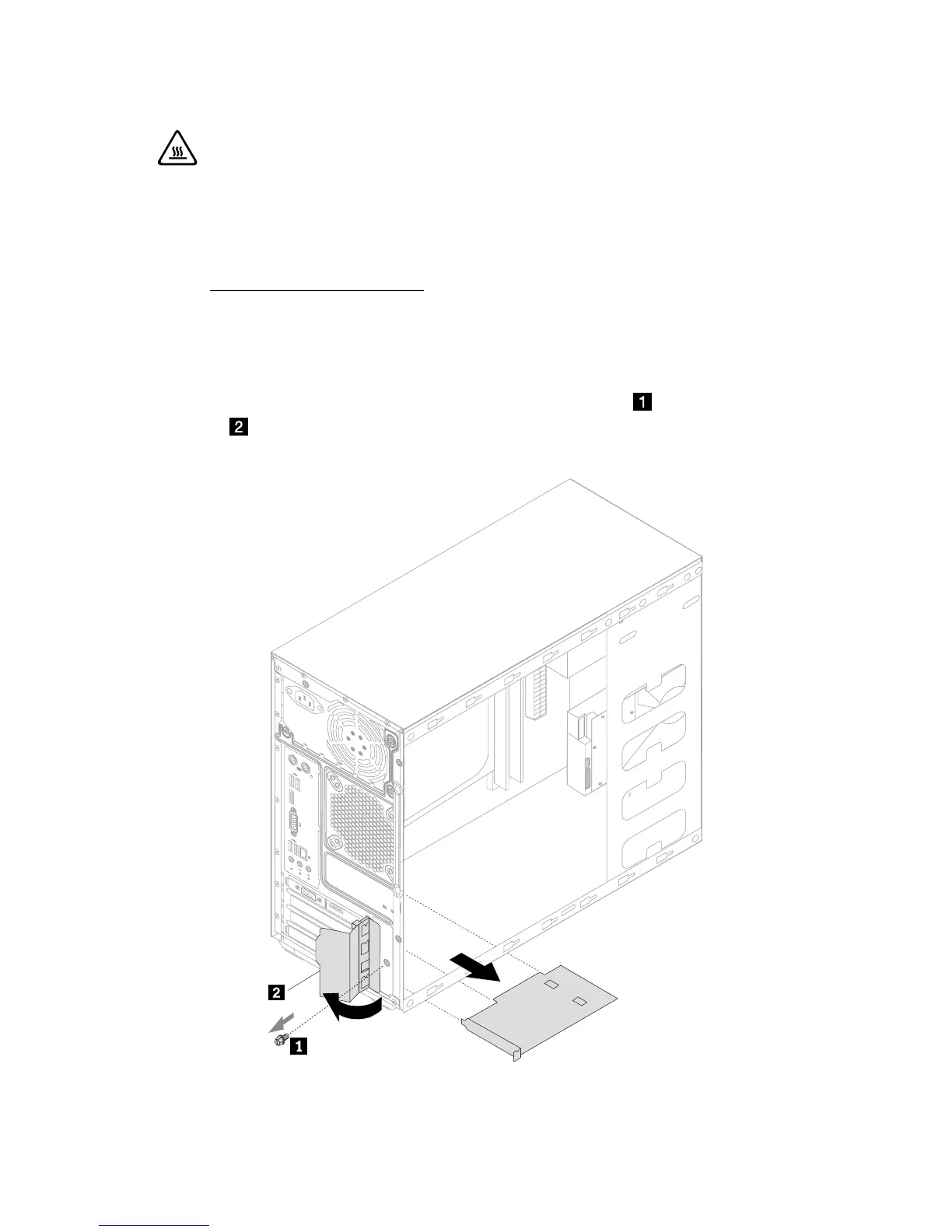
To replace an adapter:
1. Remove the computer cover. Refer to “Removing the computer cover”.
2. Remove the screw that secures the latch to the chassis,
open the adapter
latch
and remove the adapter by pulling it straight out of the adapter
connector.


 To Next Page