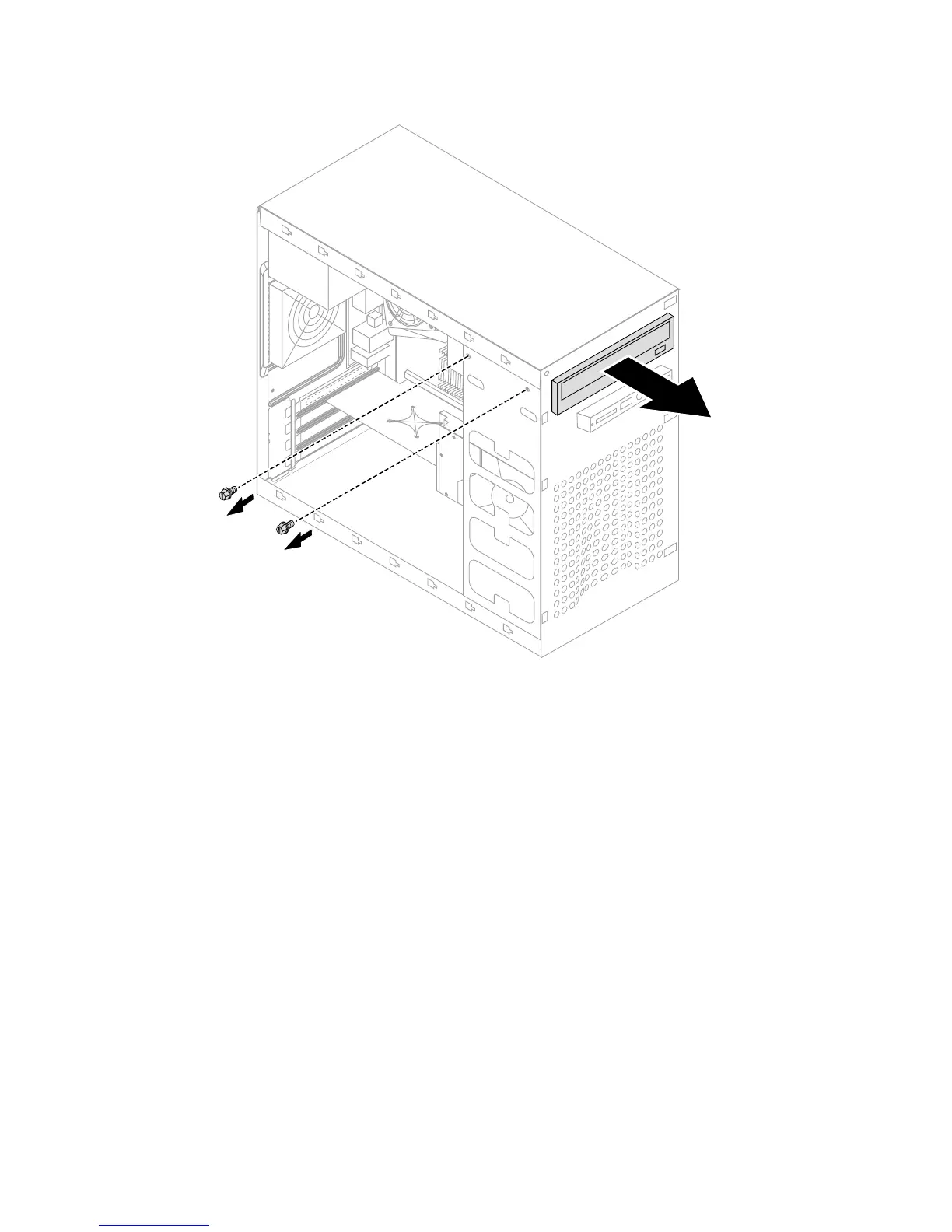
5. Push the optical drive straight out of the front of the chassis.
6. Slide the new optical drive into the bay from the back until it snaps into
position.
7. Secure the optical drive to the bay with the two screws.
8. Connect the data and power cables to the drive.
9. Install the front bezel. Refer to “Removing and replacing the front bezel”.
10. Refer to “Completing the installation”.


 To Next Page