Lenovo IdeaPad U310/U410 Hardware Maintenance Manual
44
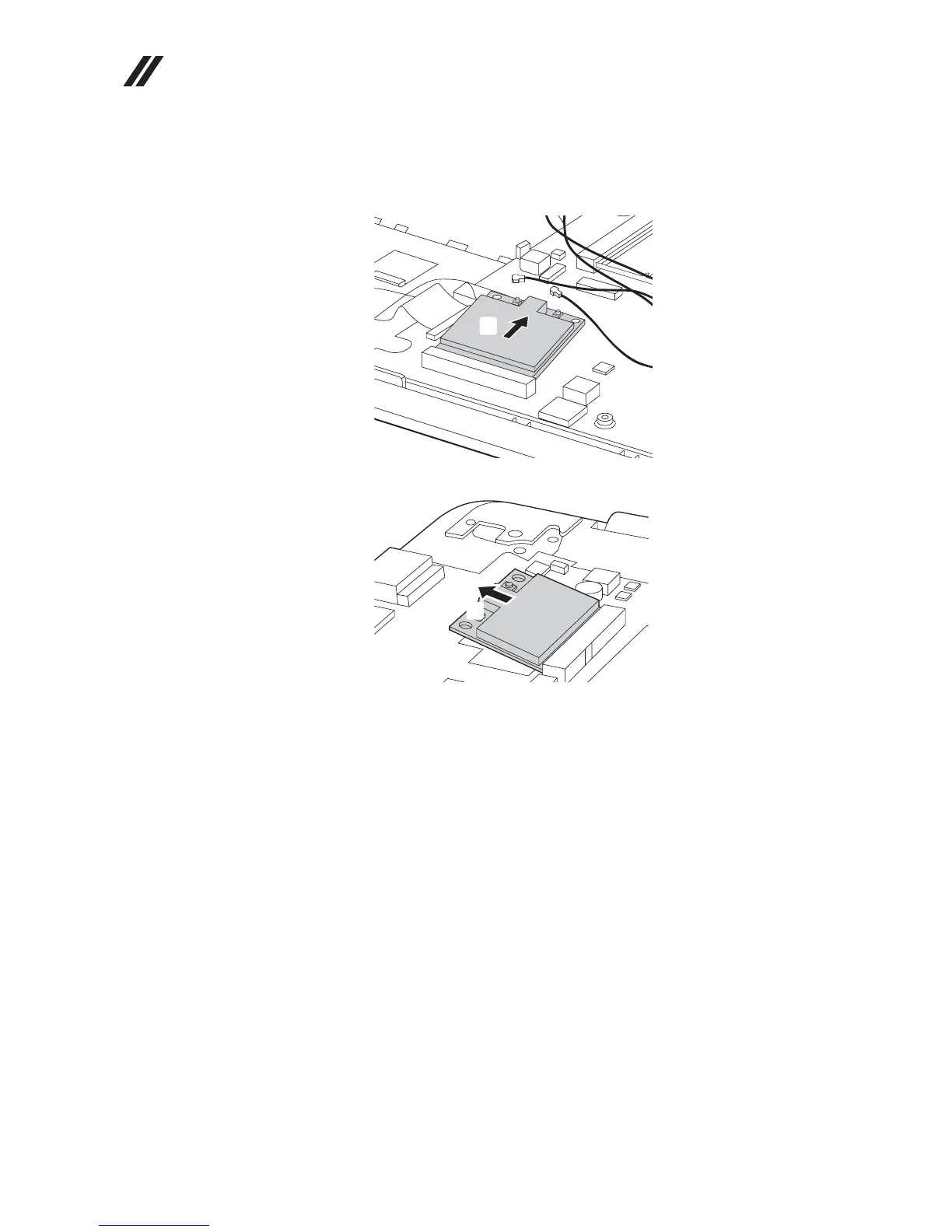
Figure 5. Removal steps of PCI Express Mini Card for wireless LAN/WAN (continued)
Remove the card in the direction shown by arrow .
U310:
U410:
When installing:
• In models with a wireless LAN card that has two antenna connectors, plug
the black cable (1st) (MAIN) into the jack labeled 1, and the white cable (2nd)
(AUX) into jack labeled 2 on the card.
• In models with a wireless LAN card that has three antenna connectors, plug
the black cable (1st) (MAIN) into the jack labeled 1, the grey cable (3rd) into
jack labeled 3, and the white cable (2nd) (AUX) into jack labeled 2 on the
card.
c
c
c









 To Next Page