Lenovo IdeaPad U310/U410 Hardware Maintenance Manual
66
1130 Integrated camera
For access, remove these FRUs in order:
• “1010 Battery pack” on page 34
• “1030 Hard disk drive” on page 38
• “1040 DIMM” on page 41
• “1050 PCI Express Mini Card for wireless LAN/WAN” on page 43
• “1060 Fan assembly and Heat Sink assembly” on page 45
• “1070 Keyboard” on page 48
• “1080 System board” on page 51
• “1090 LCD unit” on page 55
• “1100 Base cover, bluetooth card, USB board, power assembly and power
board” on page 57
• “1110 LCD front bezel” on page 61
• “1120 LCD panel, LCD cable, hinges and speakers” on page 62
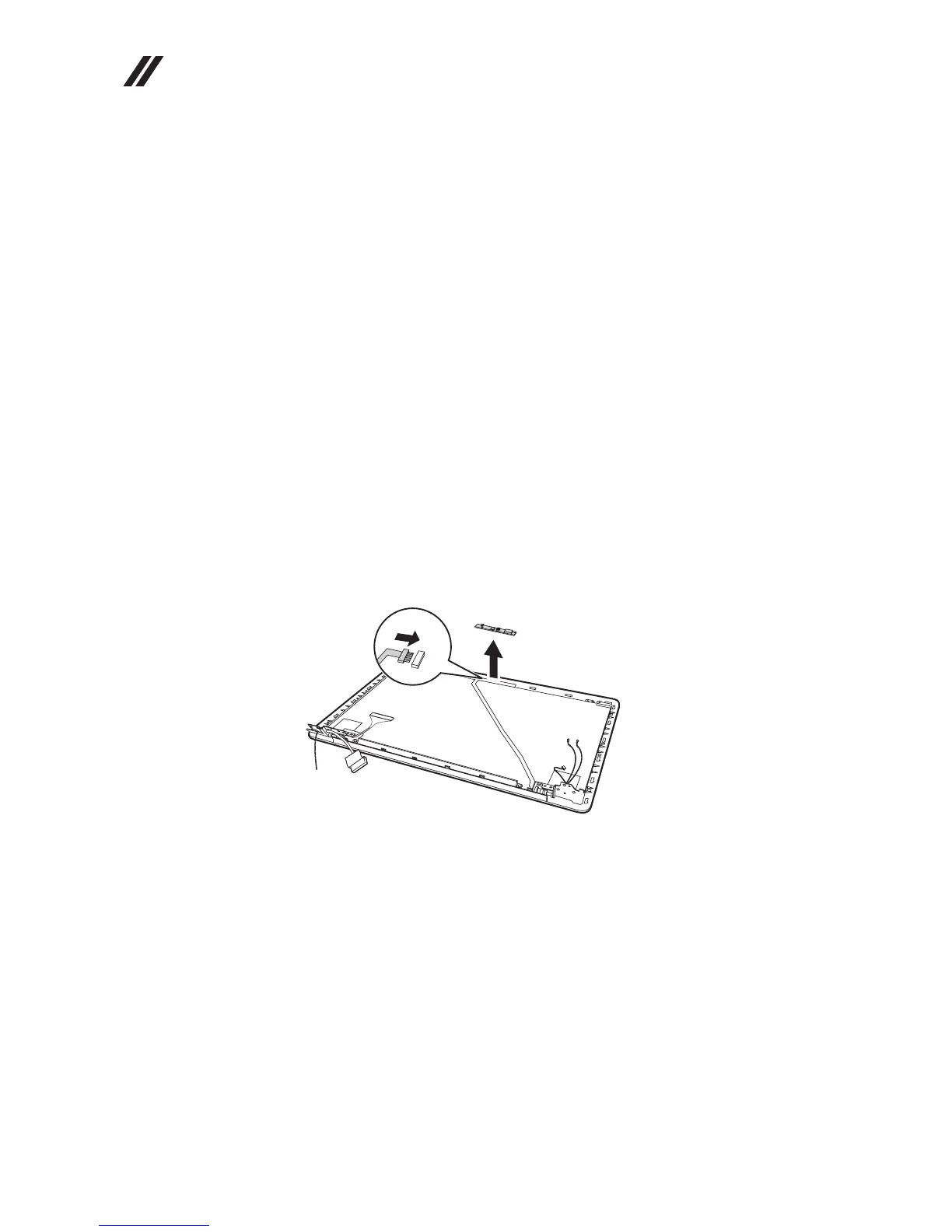
Figure 13. Removal steps of integrated camera
Note: The integrated camera is stuck on the top center of the LCD cover.
Unplug the connector in the direction , Remove the integrated camera from
the LCD cover in the direction .
When installing: Stick the integrated camera to the top center of the LCD cover
and ajust the placement of it to make sure the connector is attached firmly.
a
b
b









 To Next Page