Lenovo IdeaPad U310/U410
41
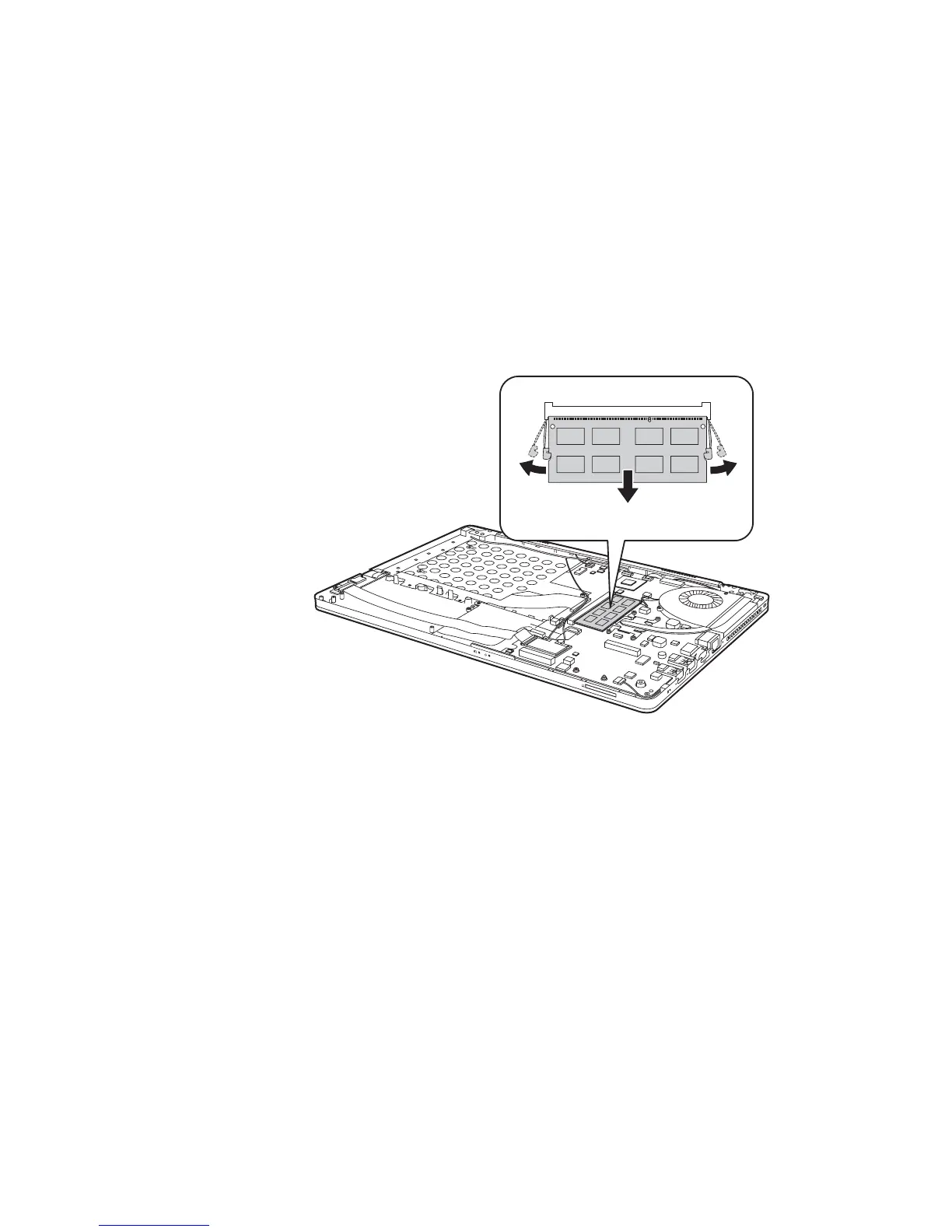
1040 DIMM
For access, remove these FRUs in order:
• “1010 Battery pack” on page 34
Figure 4. Removal steps of DIMM
Release the two latches on both edges of the socket at the same time in the
direction shown by arrows , and then unplug the DIMM in the direction
shown by arrow .
U310:
a
b
aa
b









 To Next Page