Lenovo IdeaPad U310/U410 Hardware Maintenance Manual
58
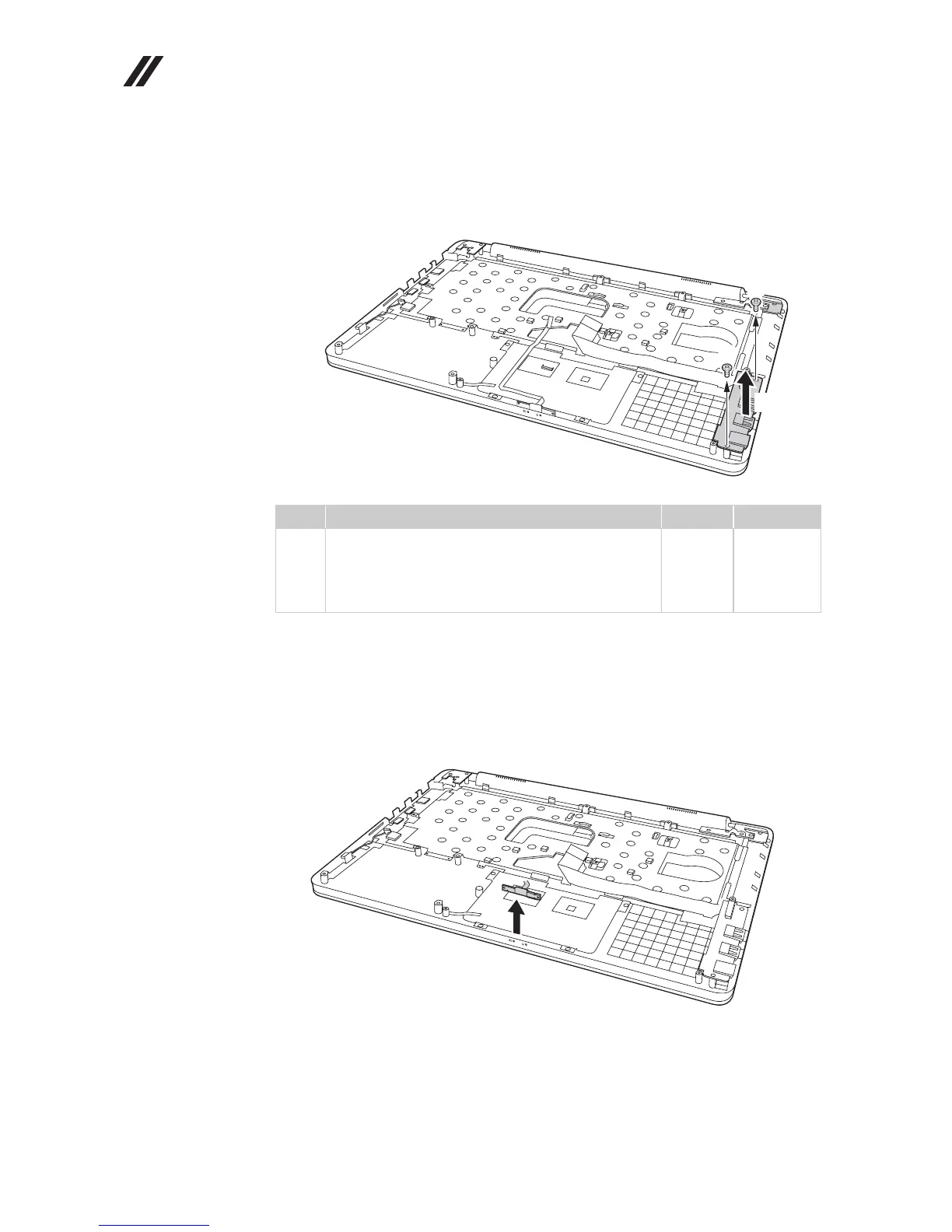
Figure 10. Base cover, bluetooth card, USB board, power assembly and power board
(continued)
Remove two screws , and then remove the USB board in the direction shown
by arrow .
When installing: When attaching the USB board to the base cover, adjust the
placement of the USB and headphone jack as shown in , and make sure that both
of the USB and the headphone jack are attached to the holes on the base cover as
shown in . Improper placement of the jacks might cause a damage.
Remove the bluetooth card in the direction shown by arrow .
Step Screw (quantity) Color Torque
M2.5 × 3.5 mm, flat-head, nylok-coated (2)
(U310)
M2.5 × 4.0 mm, flat-head, nylok-coated (2)
(U410)
Silver
Silver
2.5 kgfcm
2.5 kgfcm
b









 To Next Page