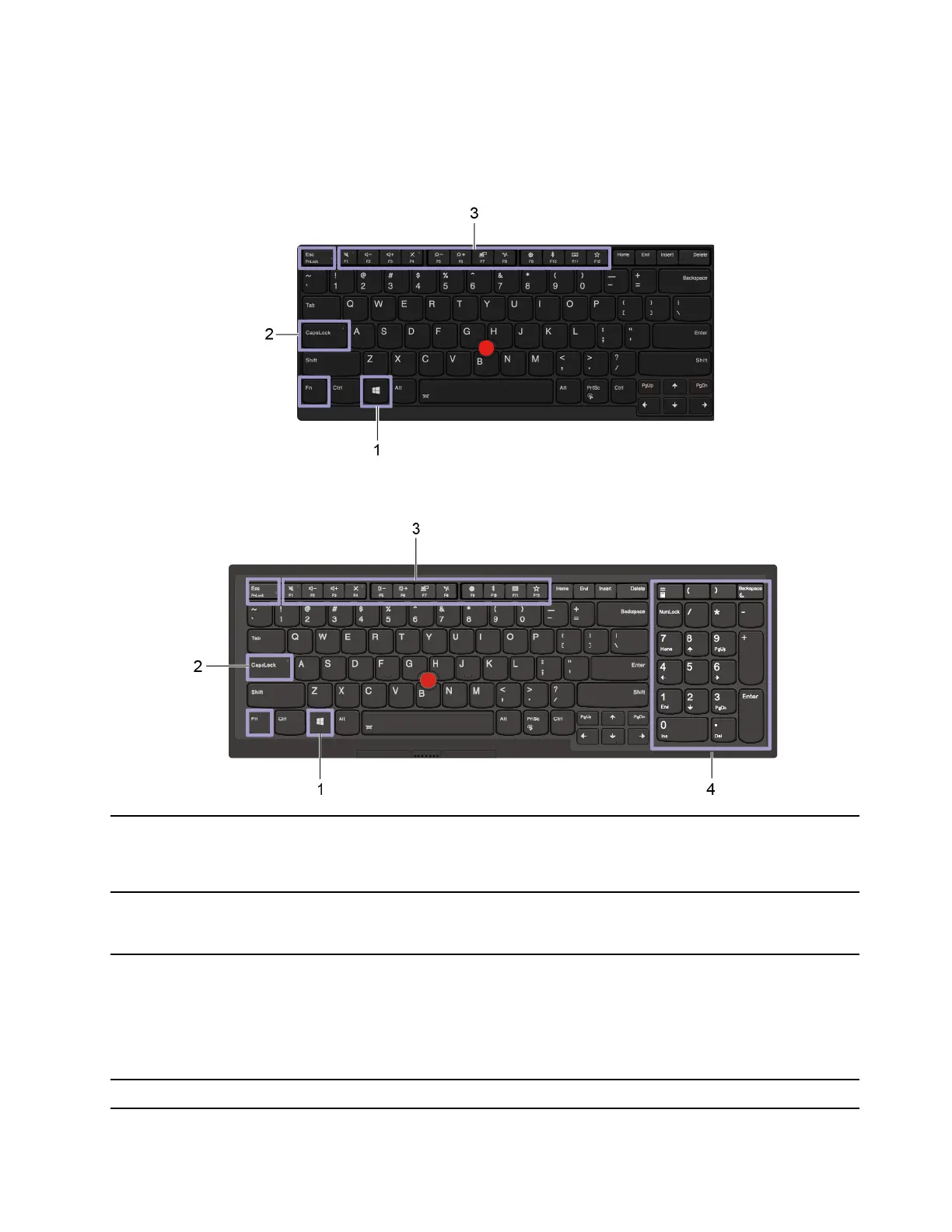
Use the keyboard shortcuts
The special keys on the keyboard help you work more easily and effectively.
E14/R14/S3 Gen 2
E15
1. Windows logo key
Open the Start menu.
For information about using this key with other keys, see the Windows help
information.
2. Caps Lock key
Switch the letter case between the upper case and lower case.
When the key indicator is on, you can type uppercase letters.
3. F1–F12 function keys
Invoke the special function printed as an icon on each key or standard function.
To choose whether to invoke the special function or standard function:
1. Go to Control Panel and view by Large icons or Small icons.
2. Click Keyboard or Lenovo - Keyboard Manager and select the option of
your preference.
4. Numeric keypad Input numbers quickly when the Numeric Lock indicator is on.
Chapter 2. Get started with your computer 13















 To Next Page