Replacement procedure (E15)
1. Disable the built-in battery. See “Disable Fast Startup and the built-in battery” on page 35.
2. Turn off the computer and disconnect the computer from ac power and all connected cables.
3. Close the computer display and turn over the computer.
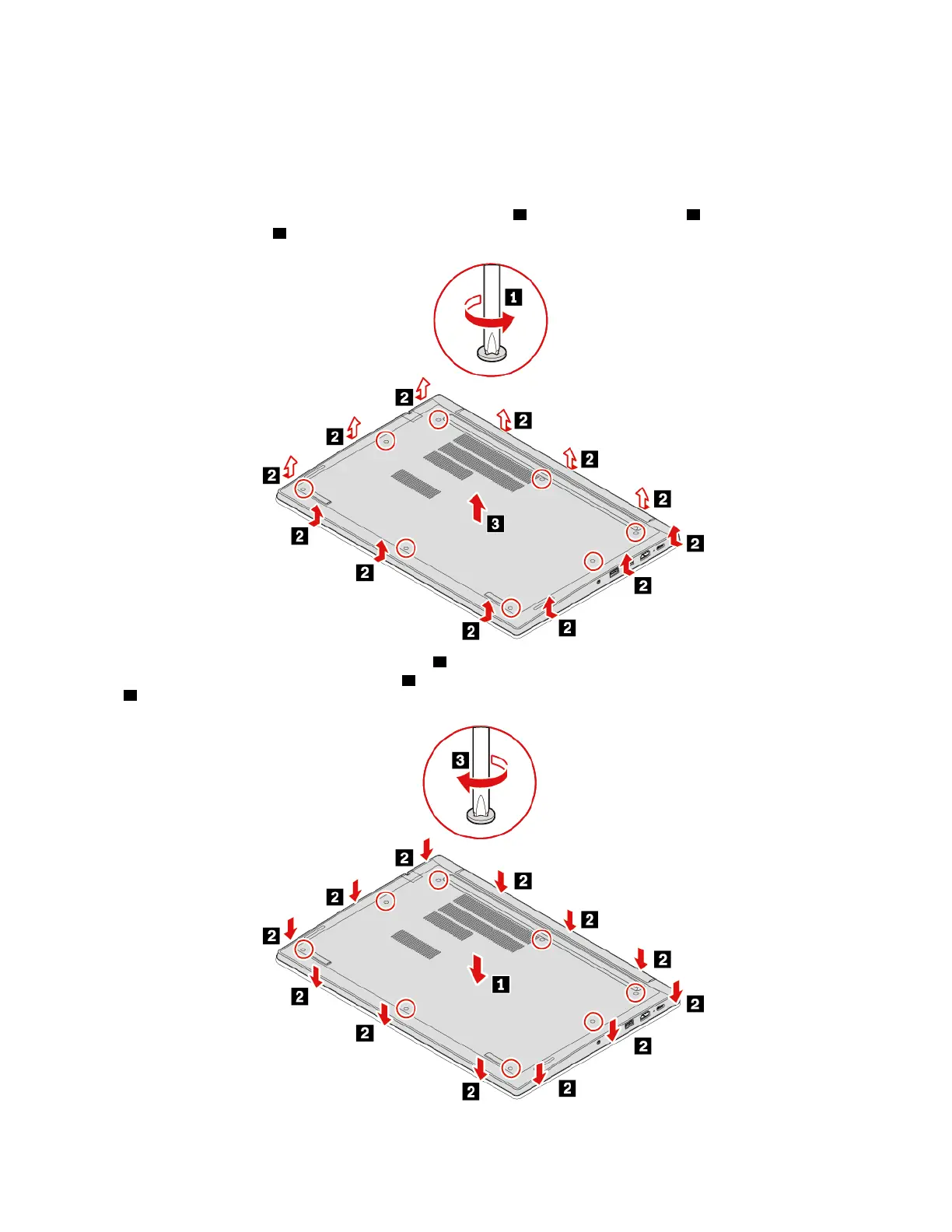
4. Loosen the screws that secure the base cover assembly
1 and pry up the latches 2 . Then, remove the
base cover assembly
3 .
5. Install the new base cover assembly in place 1 . Ensure that the latches of the base cover assembly are
secured under the base cover assembly
2 . Then, tighten the screws to secure the base cover assembly
3 .
6. Turn over the computer. Connect the ac power adapter and all disconnected cables to the computer.
38
E14/R14/E15/S3 Gen 2 User Guide















 To Next Page