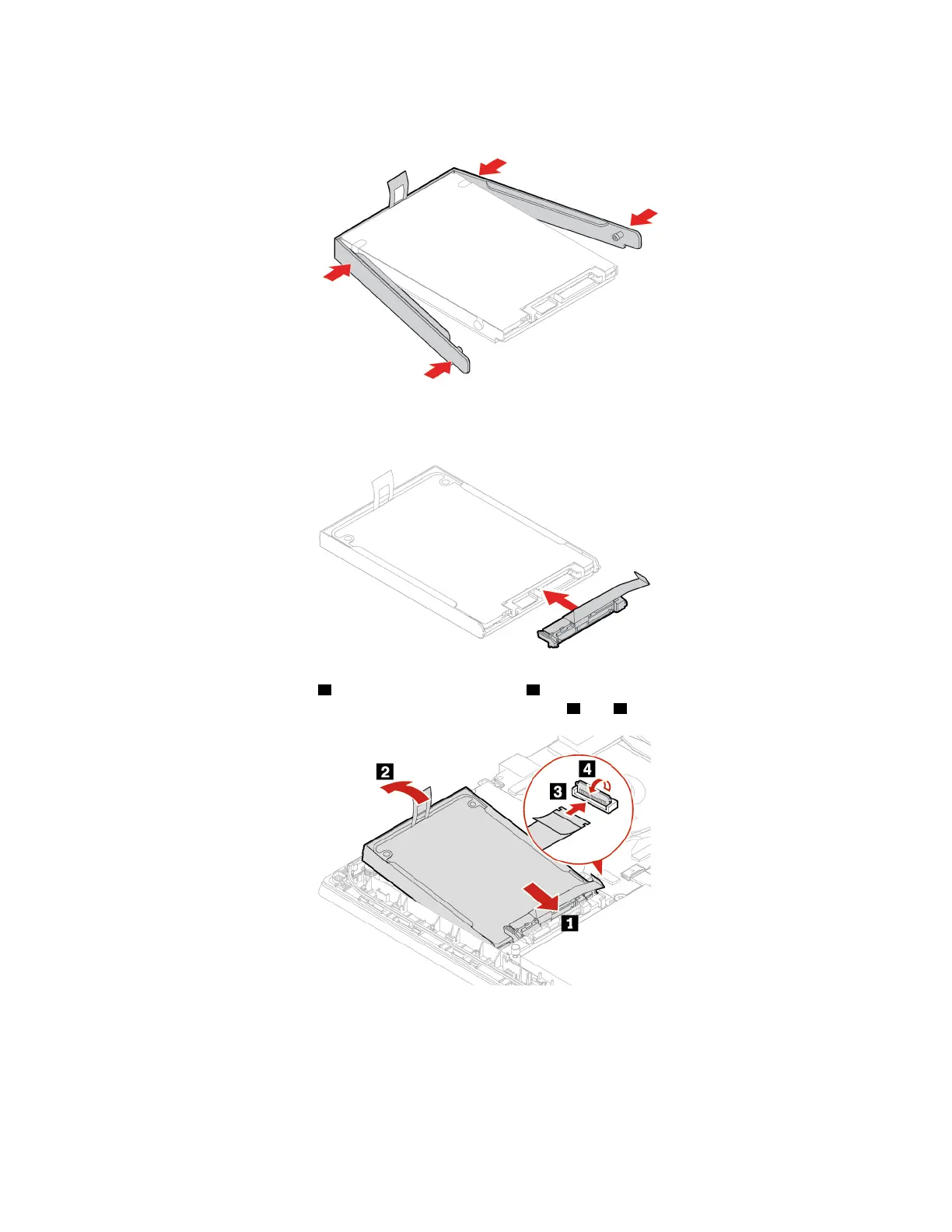
8. Attach the bracket to a new storage drive.
9. Connect the cable to the storage drive.
10. Insert the new storage drive 1 and then pivot it downward 2 . Ensure that the new storage drive is
seated in place. Then, attach the connector to the system board
3 and 4 .
11. Connect the cable to the system board.
12. Reinstall the base cover assembly.
13. Turn over the computer. Connect the ac power adapter and all disconnected cables.
42
E14/R14/E15/S3 Gen 2 User Guide















 To Next Page