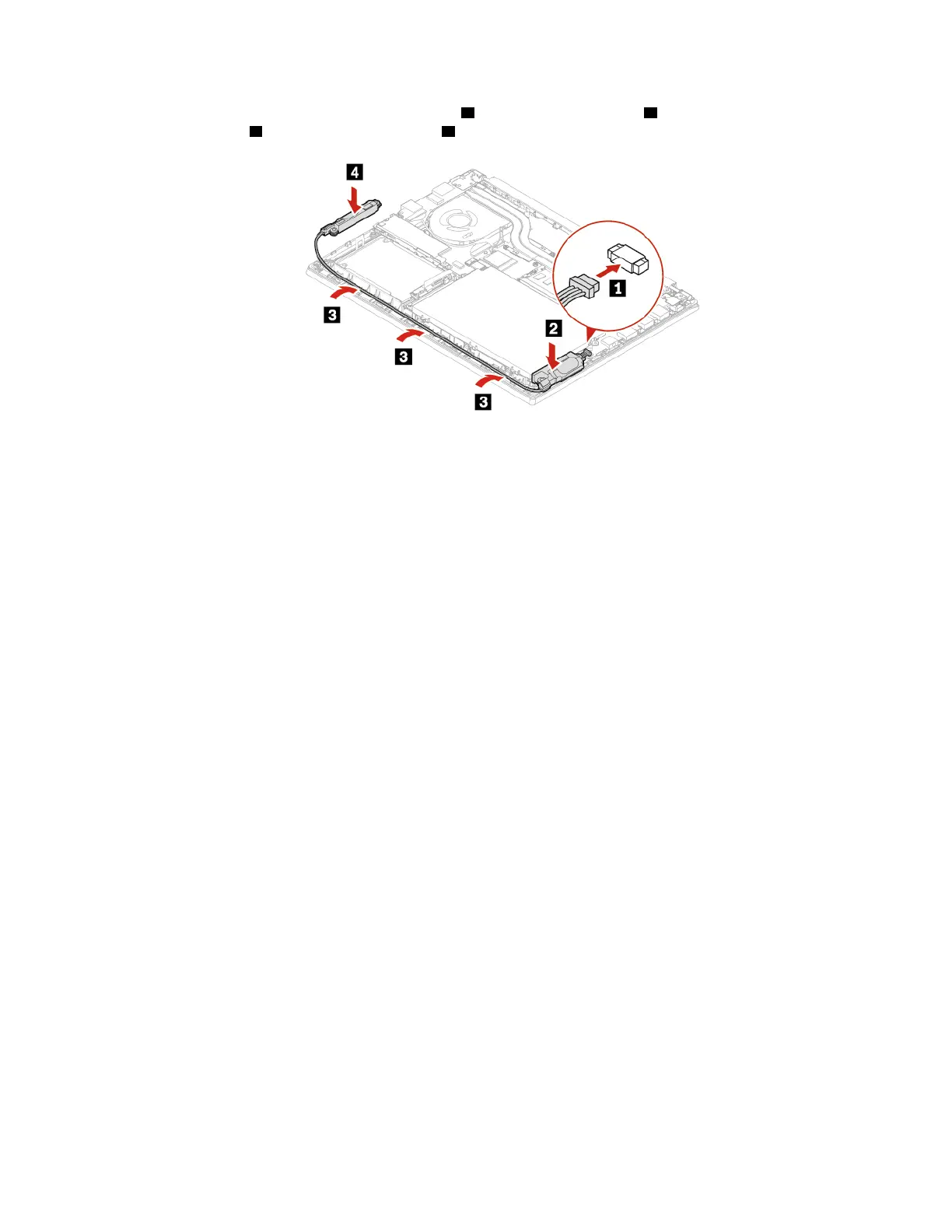
6. Attach the connector of the speaker assembly 1 . Install the new speaker 2 in place first and route the
speaker cables
3 . Then, install the speaker 4 .
7. Reinstall the base cover assembly.
8. Turn over the computer. Connect the ac power adapter and all disconnected cables to the computer.
Chapter 6. CRU replacement 49















 To Next Page