DANGER
Electriccurrentfrompower,telephone,andcommunicationcablesishazardous.Toavoidshock
hazard,disconnectthecablesbeforeopeningthecoverofthisslot.
Removingthekeyboard
Toremovethekeyboard,dothefollowing:
1.Findthekeyboardmulti-toolintheshippingpackageofthenewkeyboard.
2.Turnoffthecomputerandthendisconnecttheacpoweradapterandallcablesfromthecomputer.Wait
threetoveminutestoletthecomputercool.
3.Closethecomputerdisplayandturnthecomputerover.
4.Removethebattery.See“Replacingthebattery”onpage67.
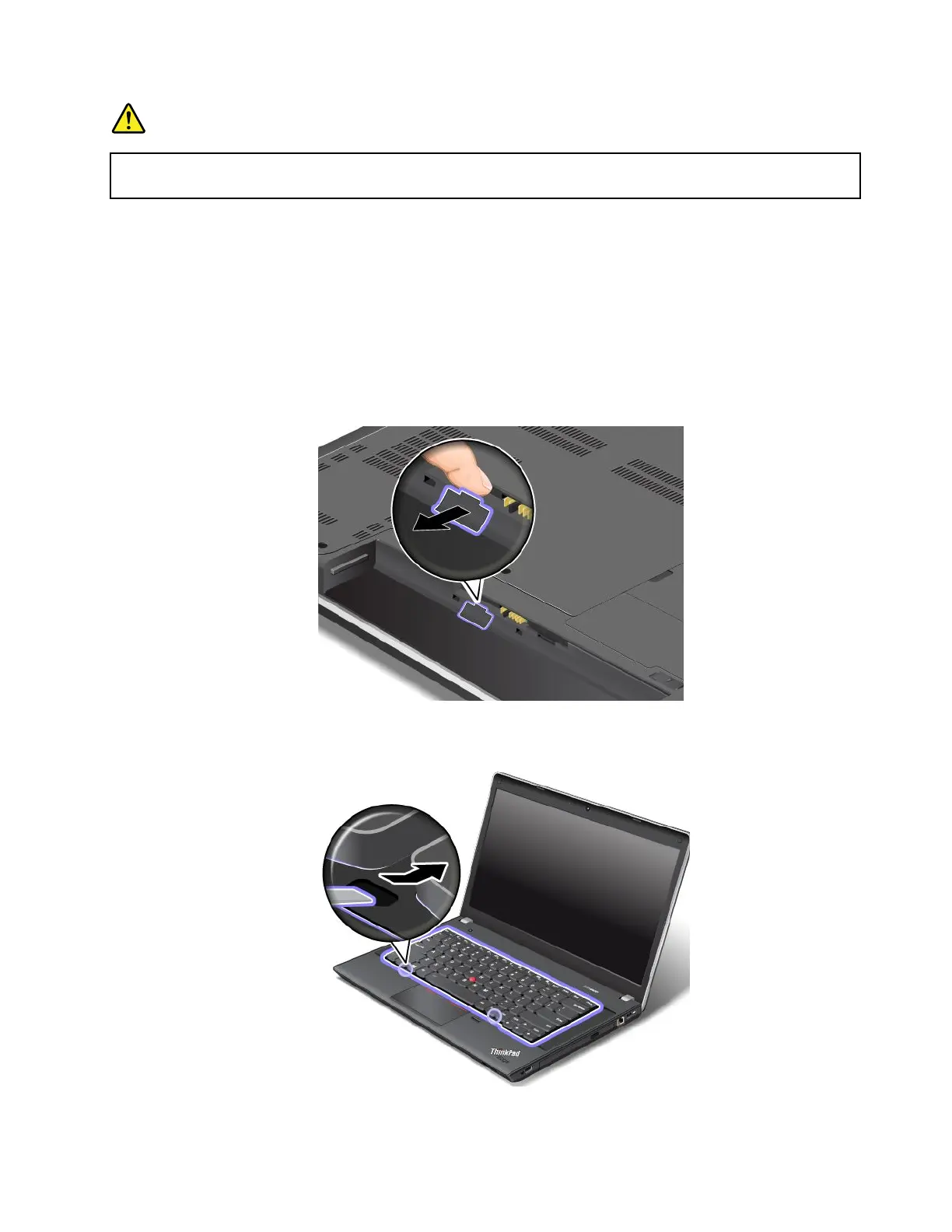
5.Unlockthekeyboardframe.
6.Torevealthescrewheadsbeneaththekeyboardframe,slidethekeyboardframeforwardby2.5mm
(0.1inch)withthekeyboardmulti-tool.
Chapter6.Replacingdevices71












 To Next Page