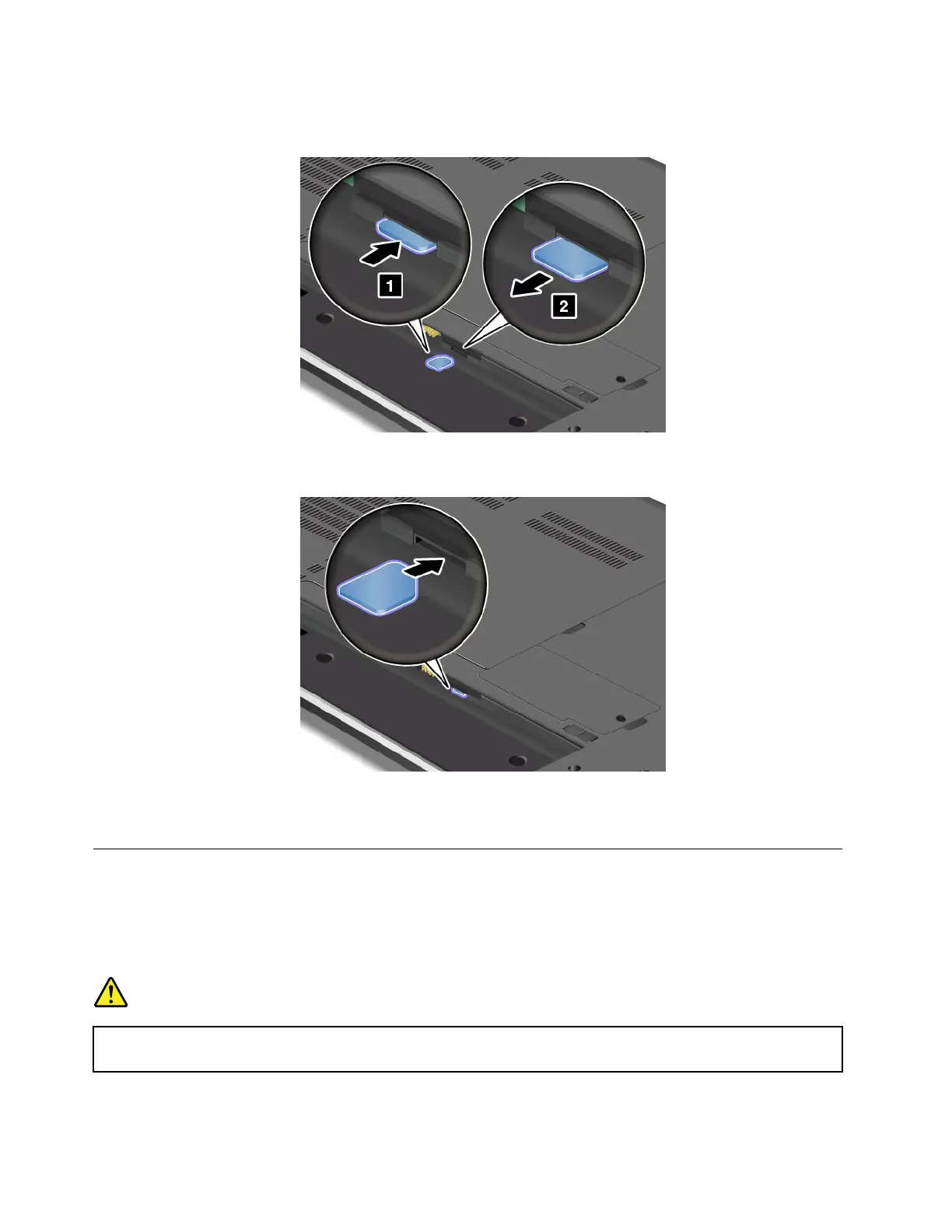
4.LocatetheSIMcardslotinsidethebatterycompartment.Gentlypushthecardtoremoveitfromthe
computer.
5.Holdthenewcardwiththemetalcontactfacingupwardandgoingintotheslotrst.Then,insert
thecardrmlyintotheslotuntilyouhearaclick.
6.Reinstallthebattery.See“Replacingthebattery”onpage67.
7.Turnthecomputeroveragain.Connecttheacpoweradapterandallcables.
Replacingthekeyboard
ThinkPadEdgeE431
Beforeyoustart,printtheseinstructions.
DANGER
Duringelectricalstorms,donotconnectthecabletoordisconnectitfromthetelephoneoutlet
onthewall.
70UserGuide












 To Next Page