6Comboaudiojack
Tolistentothesoundfromyourcomputer,connectaheadphoneoraheadsetthathasa3.5mm4-pole
plugtothecomboaudiojack.
Notes:
•Ifyouareusingaheadsetwithafunctionswitch,donotpressthisswitchwhileusingtheheadset.If
youpressit,theheadsetmicrophonewillbedisabled,andtheintegratedmicrophonesonthecomputer
willbeenabledinstead.
•Thecomboaudiojackdoesnotsupportaconventionalmicrophone.Formoreinformation,see“Using
audiofeatures”onpage42
.
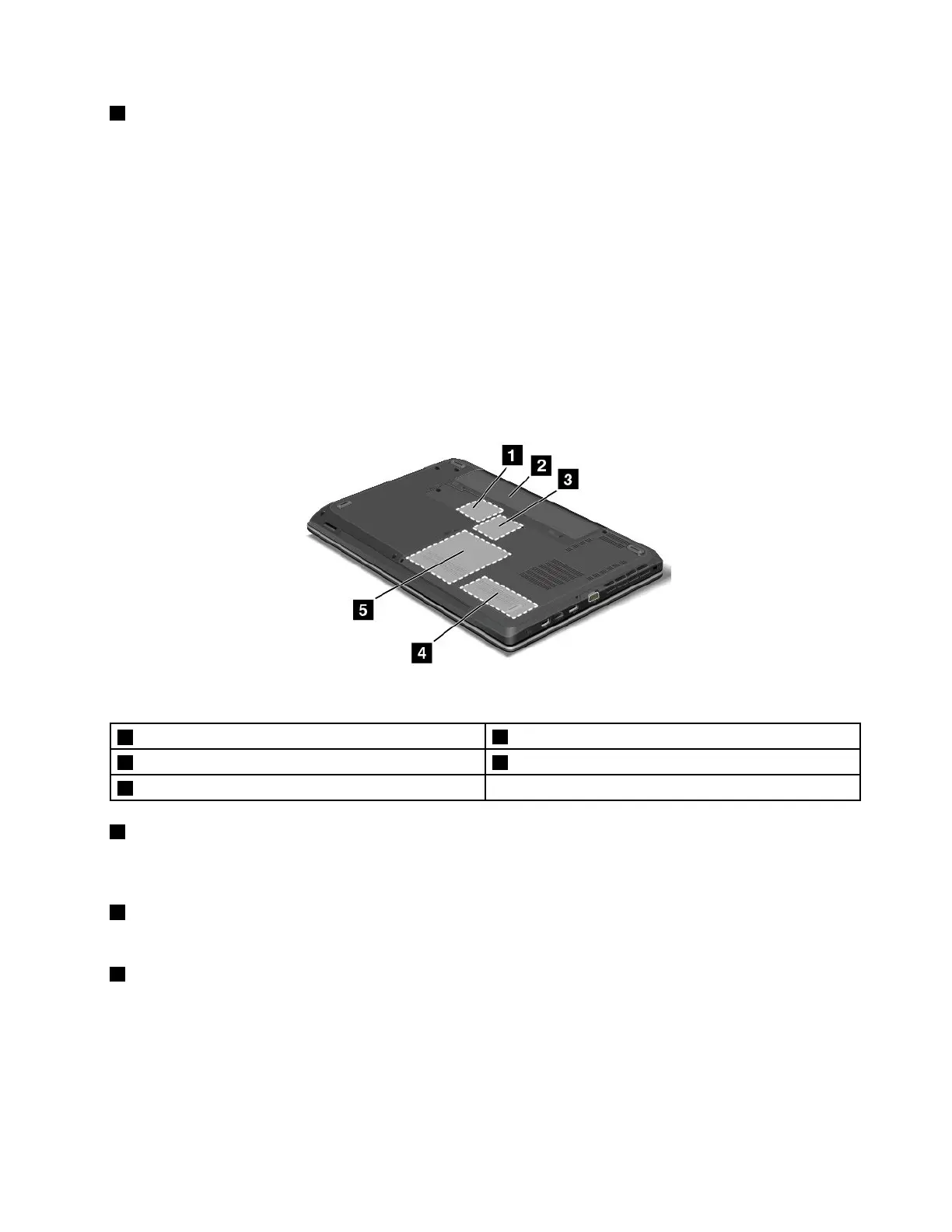
Bottomview
Note:Yourcomputerbottomviewmightlookslightlydifferentfromthefollowingillustration.
Figure6.ThinkPadEdgeE431andE531bottomview
1PCIExpressMiniCardslotforwirelessLANcard
4Memoryupgradeslot
2Battery5Harddiskdriveorsolid-statedrive
3SlotforwirelessWANcardorM.2solid-statedrive
1PCIExpressMiniCardslotforwirelessLANcard
YourcomputermighthaveawirelessLANcardinstalledinthePCIExpressMiniCardslotforyouto
establishwirelessLANconnections.
2Battery
Useyourcomputerwithbatterypowerwheneveracpowerisunavailable.
3SlotforwirelessWANcardorM.2solid-statedrive
Yourcomputermighthaveawirelesswideareanetwork(WAN)cardinstalledinthisslotforyoutoestablish
wirelessWANconnections.
Forsomemodels,anM.2solid-statedrivemightbeinstalledfordatastorageinsteadofawirelessWANcard.
Chapter1.Productoverview9












 To Next Page