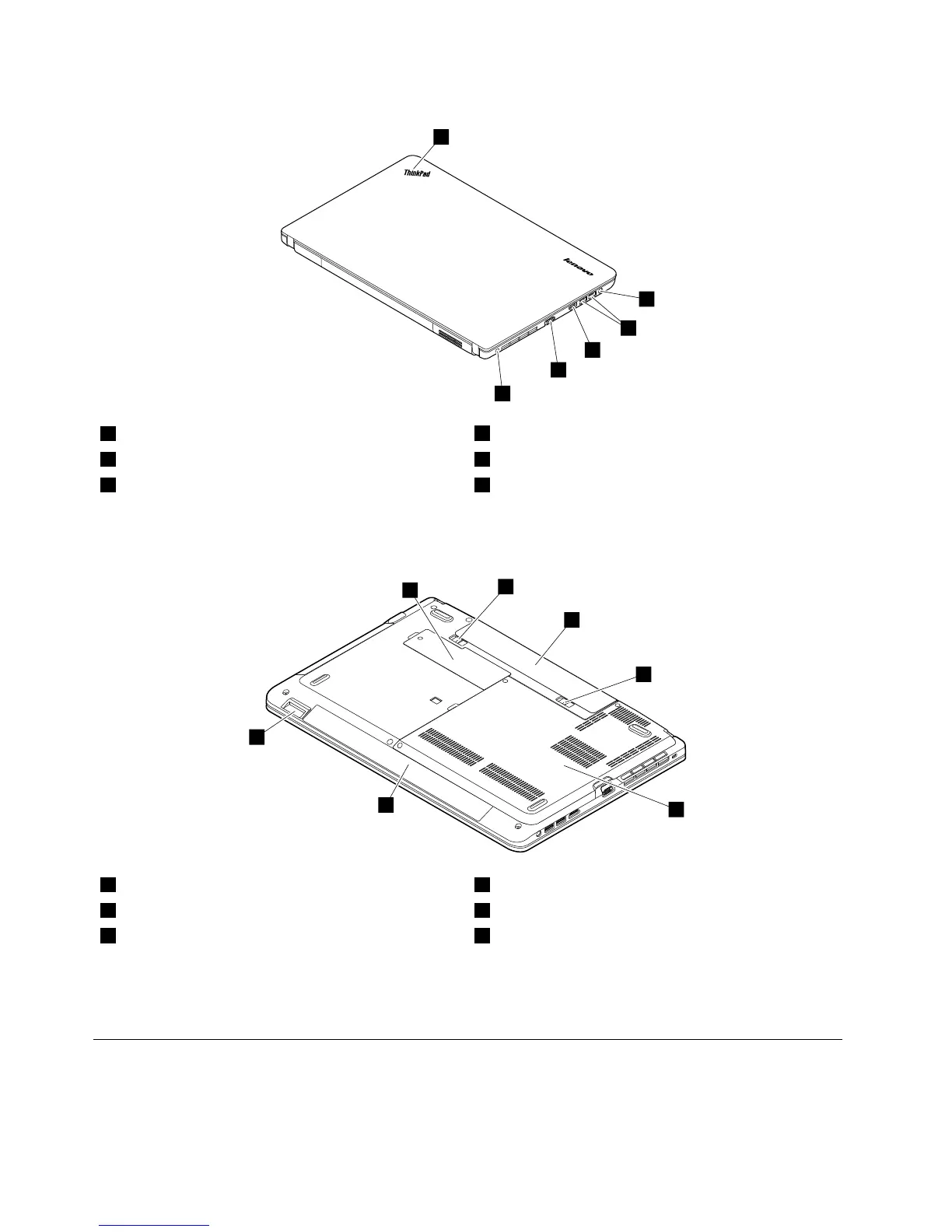
1Systemstatusindicator
1
4HDMIport
2Comboaudiojack5VGAconnector
3USB3.0connectors6Security-lockslot
1
:Forthedescriptionofthesystemstatusindicator,seeChapter5“Statusindicators”onpage45.
Bottomview
1Smallbottomcover
1
4Largebottomcover
2
2Batterypacklatches5Built-instereospeakers
3Batterypack6Mediacardreaderslot
1
:ThewirelessLANcardandbackupbatteryarelocatedunderneaththesmallbottomcover.
2
:Thememorymodules,harddiskdriveorsolid-statedrive,andwirelessWANcardorM.2solid-state
drivearelocatedunderneaththelargebottomcover.
LocatingFRUsandCRUs
Thistopicintroducesthefollowingserviceparts:
•“MajorFRUsandCRUs”onpage52
•“LCDFRUsandCRUs”onpage54
50HardwareMaintenanceManual














 To Next Page