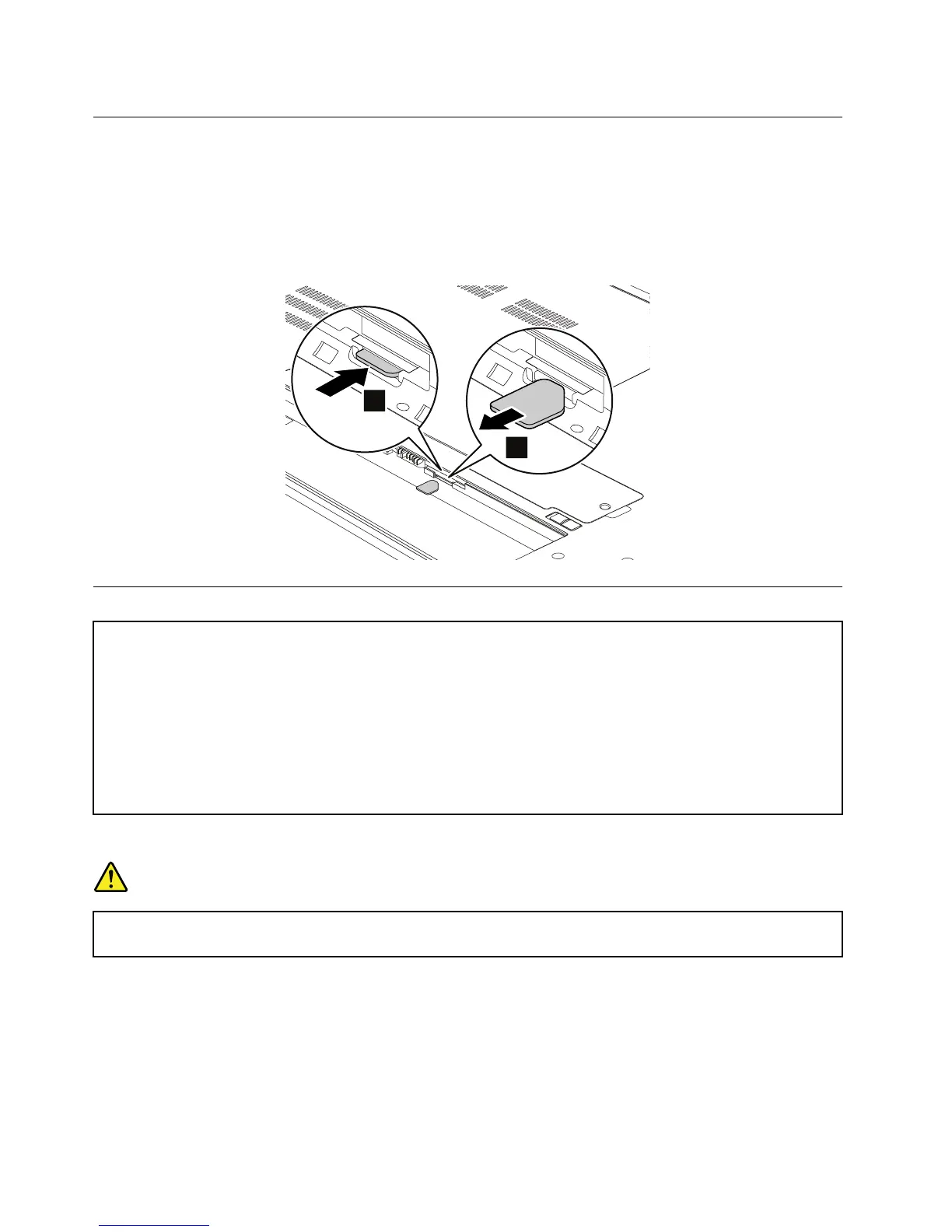
RemovingtheSIMcard
ThecomputeryouareservicingmighthaveaSIMcardthatthecustomerhasinstalled.Insuchsituations,
removetheSIMcardbeforeyoustarttheservicing..
ToremovetheSIMcard,youneedtoremovethebatterypackrst.See“1010Batterypack”onpage62.
Afteryounishtheservicing,ensurethatyouinsertthecardbackintotheslotrmly.
1010Batterypack
Importantnoticeforreplacingabatterypack
Attention:Lenovohasnoresponsibilityfortheperformanceorsafetyofunauthorizedbatteries,andprovidesno
warrantiesforfailuresordamagearisingoutoftheiruse.
TheLenovoSolutionCenterprogramprovidesanautomaticbatterydiagnostictestthatdeterminesifthebatterypack
isdefective.AbatterypackFRUshouldnotbereplacedunlessthisdiagnostictestshowsthatthebatteryisdefective.
Theonlyexceptiontothisisifthebatterypackisphysicallydamagedoracustomerisreportingapossiblesafetyissue.
IfLenovoSolutionCenterisnotinstalledinthecomputer,thecustomershoulddownloadthisprogrambeforea
non-physicallydamagedbatterypackisreplaced.Notethataphysicallydamagedbatterypackisanon-warranty
replacementpart.
Removalstepsofthebatterypack
DANGER
Useonlytheauthorizedbatteryspeciedforyourcomputer.Anyotherbatterycouldigniteor
explode.
62HardwareMaintenanceManual














 To Next Page