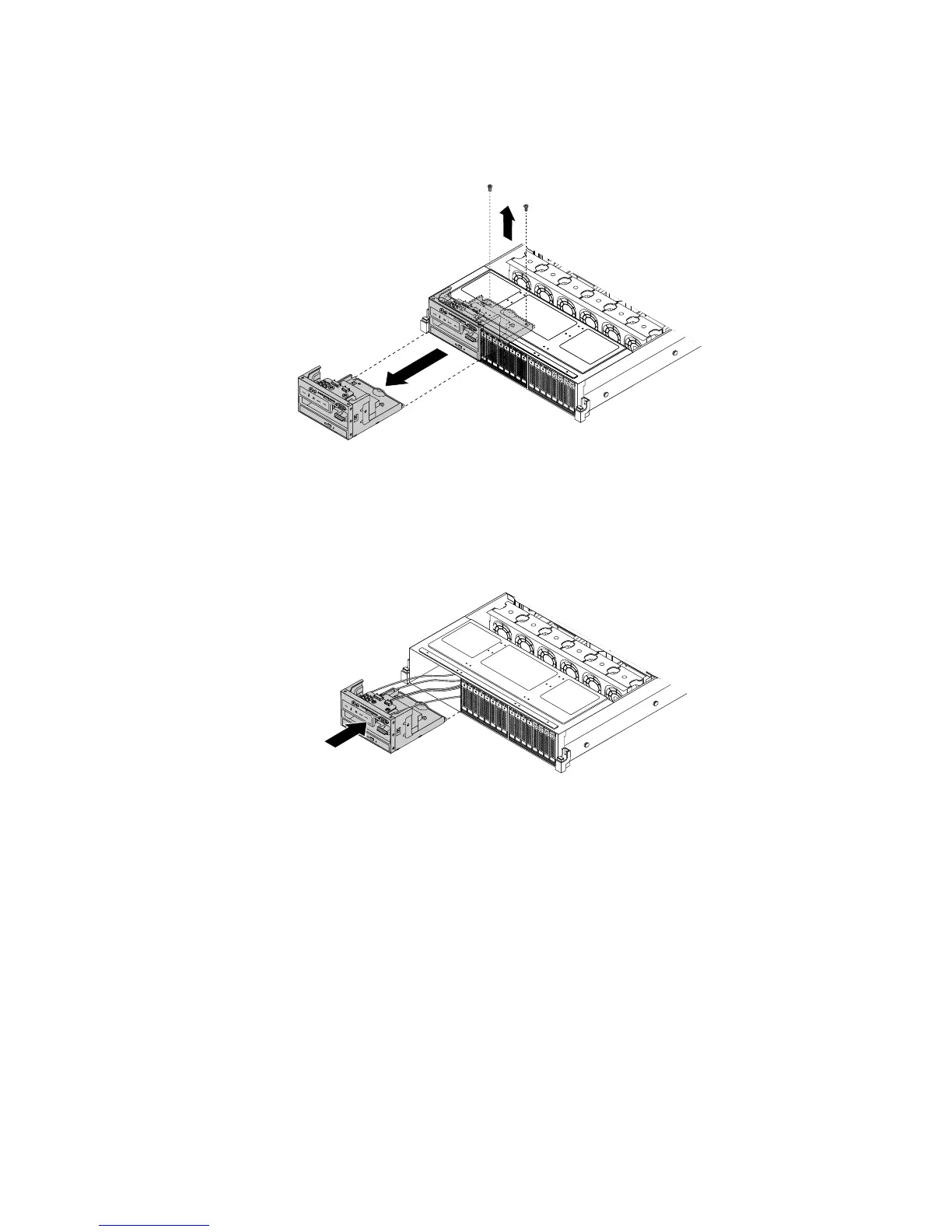
8.Removethetwoscrewsthatsecuretheleftcageandthenslidetheleftcageoutofthefrontofthe
chassis.
Figure43.Removingtheleftcage
9.Toreinstalltheleftcage,carefullyroutethecablesfromtheleftcagethroughtheleftcageholeinthe
frontandthenslidetheleftcageintothechassisuntilitsnapsintoposition.
Figure44.Slidingtheleftcageintothechassis
Chapter6.Installing,removing,orreplacinghardware81






 To Next Page