30
5 Controlling locomotives
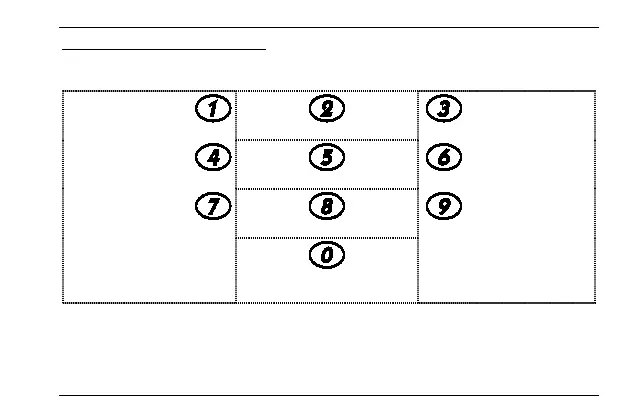
After you have selected a locomotive address, you can control the locomotive with
these keys:
Reduce speed in
single
Switch to "forward"
Increase speed in
single
medium
Set speed to 0
medium
large
steps
Switch to "backward"
large steps
Emergency stop or
emergency shutdown
Press key 5 to set the speed to "0". A braking delay set in the locomotive decoder is
active. The keys 2 and 8 switch the direction only if the speed was previously set to
"0". Otherwise the speed is set to "0". The direction is only changed after the key is
pressed twice.





 To Next Page