
EasyManua.ls Logo

Lenz Digital Plus LZV100 - User Manual

Lenz Digital Plus LZV100
36 pages
Print Icon
To Next Page IconTo Next Page
Loading...
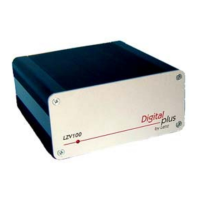
LZV100 Command/Power Station 1
Unleashing the
Power of DCC
LZV100
Command/Power Station
Operations Manual
Version 3.4
December 2002
Submitted to the NMRA for
formal C&I testing.
Warrant pending

Other manuals for Lenz Digital Plus LZV100

Questions and Answers

  • N
    nancy55Jul 25, 2025
    What to do if Lenz Amplifier LED flashes slowly?
    • B
      Barry CochranJul 25, 2025
      If the Lenz Amplifier LZV100's LED flashes slowly, it could be due to several reasons. There might be a short or overload on the layout. Correct the short and press the emergency stop key on your handheld to restart the system. If this happens repeatedly, divide the layout into power districts and power each with additional power stations/transformers. Another cause could be that the input voltage is too low because the load exceeded the transformer's capability, requiring a higher amperage transformer. Also, the system might be in service mode, so finish programming the decoders to resume normal operation.
  • B
    Brian FieldsAug 1, 2025
    What to do if Lenz Amplifier LED flashes fast?
    • C
      Christina DayAug 1, 2025
      If the Lenz Amplifier LZV100's LED flashes fast, it could indicate a temperature rise in the amplifier, possibly due to a short or overload on the layout. If no short is found and this happens repeatedly, divide the layout into power districts and power each district with additional power stations/transformers. Another potential cause is that the transformer is incorrectly attached to J/K instead of U/V; in this case, correct the wiring.
  • G
    Gary WagnerAug 6, 2025
    How to troubleshoot Lenz Amplifier LZV100 when the LED does not light up?
    • M
      Melissa PerkinsAug 6, 2025
      If the Lenz Amplifier LZV100 is not operational and the LED does not light, it means that the power supply is interrupted. It may be that the power plug of the transformer is not in the outlet, or the "U", "V" wires are not connected to the transformer. Ensure that the transformer is on, has not overloaded or shut off, and check the wiring from the transformer to the LZV100.
  • N
    Nancy HarrisAug 12, 2025
    Why is the LED on my Lenz Amplifier showing a double flash?
    • S
      Scott SmithAug 12, 2025
      If the Lenz Amplifier LED shows double flashing, it means that the power station is being programmed using ops mode programming. Finish resetting parameters, and normal operations will resume.
  • D
    Derrick FloresAug 18, 2025
    What to do if Lenz Amplifier LED is continuously on but locomotives do not run?
    • L
      Lisa SextonAug 18, 2025
      If the Lenz Amplifier LED is continuously on, but locomotives do not run, the connection from the LZV100 to the track is broken (terminals J and K). Test and correct these connections.

Summary

Important Information

Notations and Symbols

Explains symbols and notations used within the manual for clarity.

Quick Start Users Guide

Connection and Initial Operation

Step-by-step guide for connecting and operating the LZV100 for the first time.

Installing the LZV100

Power Plug (UVJK1)

Connecting the transformer and track using the 5-pin power plug.

XpressNet Plug (LMAB)

Permanent XpressNet connections using the LMAB plug.

Configuring the LZV100

System Reset

Procedure to restore the LZV100 to factory default settings.

Auto Mode;Manual Mode

Switching between automatic and manual locomotive operation modes.

Operation Considerations

Achieving Maximum DCC Track Power

Maximizing track power output and understanding protection circuits.

Expanding Your Digital plus DCC System

More Power Through More Power Stations

Increasing system power by adding additional power stations (boosters).

Installing XpressNet

XpressNet Wiring

Guidelines for proper XpressNet wiring installation.

Layout Wiring Considerations

Connecting a Reverse Loop

Wiring and operating reverse loops in a DCC layout.

Troubleshooting the LZV100

North American Warranty

Lenz Digital Plus LZV100 Specifications

General IconGeneral
ManufacturerLenz
Output Current5A
CompatibilityNMRA DCC
Programming Track OutputYes
External Booster ConnectionYes
Power SupplyExternal power supply required (not included)
DCC FormatNMRA DCC
Operating Temperature0 to 40°C