EasyManua.ls Logo

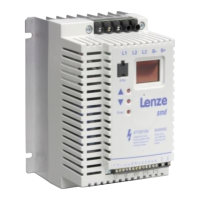
Lenze ESMD152X2SFA - User Manual

Lenze ESMD152X2SFA
20 pages
Print Icon
To Next Page IconTo Next Page
Loading...
0.25 kW… 4.0 kW
V0004
SX03M
EN
Operating Instructions
smd
- frequency inverter
-en1
Phone: 800.894.0412 - Fax: 888.723.4773 - Web: www.clrwtr.com - Email: info@clrwtr.com

Questions and Answers

  • B
    brandy41Aug 15, 2025
    What to do if Lenze ESMD152X2SFA Inverter shows short-circuit or overload?
    • T
      Taylor AlexanderAug 16, 2025
      If the Lenze Inverter displays a short-circuit or overload error, this is likely due to a short-circuit condition. To resolve this, identify the cause of the short-circuit and inspect the motor cable.
  • N
    Natasha LewisAug 18, 2025
    Why Lenze Inverter displays undervoltage on DC bus?
    • B
      Bridget ValdezAug 18, 2025
      If you're seeing an undervoltage error on the DC bus of your Lenze Inverter, the mains voltage may be too low. Verify that the mains voltage is within the acceptable range.
  • M
    mbenjaminAug 21, 2025
    How to fix motor overload (I2t overload) on Lenze ESMD152X2SFA Inverter?
    • K
      Kendra DanielsAug 21, 2025
      If the Lenze Inverter indicates a motor overload (I2t overload), the motor is likely overheating due to an impermissible continuous current or frequent/lengthy acceleration. Address this by checking the controller selection and the setting of c20.
  • T
    Travis WilliamsAug 25, 2025
    What causes external error on Lenze ESMD152X2SFA?
    • J
      James FosterAug 25, 2025
      If your Lenze Inverter is showing an external error, it means the digital input “TRIP set” is active. To resolve this, you should remove the external error.
  • B
    bdunnAug 27, 2025
    How to deactivate DC-injection brake on Lenze Inverter?
    • C
      Cindy RiceAug 27, 2025
      The DC-injection brake may be active on your Lenze Inverter because it was activated via digital input or automatically. To deactivate it, ensure the digital input is LOW, or wait for it to deactivate automatically after the holding time c06 has expired.
  • R
    Robert HamiltonAug 30, 2025
    What to do if Lenze ESMD152X2SFA Inverter shows EPM error?
    • G
      gonzalesjonathanAug 31, 2025
      If your Lenze Inverter displays an EPM error, the EPM is either missing or defective. Power down the Inverter and replace the EPM.
  • M
    Monica SmithSep 2, 2025
    Why Lenze ESMD152X2SFA Inverter shows digital inputs not uniquely assigned?
    • K
      Kenneth ThompsonSep 2, 2025
      If the Lenze Inverter indicates that digital inputs are not uniquely assigned, this means that E1...E3 are assigned with the same digital signals. Ensure that each digital signal is only used once.
  • J
    John CookSep 5, 2025
    Why automatic start inhibited on Lenze ESMD152X2SFA?
    • T
      Theresa BrownSep 5, 2025
      If automatic start is inhibited on your Lenze Inverter, it is because c42 = 0. Apply a LOW-HIGH signal change at terminal 28.
  • C
    Cody AndradeSep 9, 2025
    How to solve Lenze ESMD152X2SFA Inverter stop with inhibited outputs U, V, W?
    • B
      Bruce WhiteSep 9, 2025
      If the Lenze Inverter has stopped and outputs U, V, and W are inhibited, this is due to a LOW signal at terminal 28. Set terminal 28 to HIGH.
  • A
    acarterSep 12, 2025
    Why Lenze Inverter output frequency is 0 Hz?
    • I
      Ian AdamsSep 12, 2025
      If the output frequency of your Lenze Inverter is 0 Hz and outputs U, V, W are inhibited, the setpoint is likely 0 Hz (C31 = 0). Perform setpoint selection.

Summary

About Lenze smd Inverter Instructions

Lenze smd Inverter Safety Information

General Safety Guidelines

General safety precautions for Lenze controllers, including risks from live parts and hot surfaces.

Application Purpose and Directives

Details on intended use and compliance with EC directives like Machinery and EMC Directives.

Installation Safety Precautions

Guidelines for proper handling to avoid mechanical stress and damage to electronic components.

Electrical Connection Safety

Adherence to regulations for electrical installation, grounding, and EMC compliance.

Operation Safety Precautions

Ensuring systems have monitoring devices and adapting the controller safely.

Pictographs and Warning Symbols

Explanation of pictographs, signal words, and their consequences if ignored.

Lenze smd Inverter Technical Data

Standards and Application Conditions

Details on conformity, approvals, environmental conditions, and installation height.

Inverter Ratings and Specifications

Table of different inverter types with power, voltage, current, and output current ratings.

Lenze smd Inverter Installation Guide

Mechanical Installation Procedures

Guidelines for mounting the inverter, including dimensions and torque specifications.

Mounting Dimensions and Specifications

Table detailing physical dimensions (a, b, c) and weight for various inverter models.

Electrical Installation Guidelines

Instructions for wiring the inverter, including EMC requirements and cable selection.

EMC Installation Requirements

Information on compliance with EN 61800-3/A11 for noise emission and installation practices.

Fuses and Cable Cross-Sections

Recommendations for fuse types, circuit breakers, and input power wiring cross-sections.

Connection Diagram Overview

Schematic diagrams illustrating input and output connections for the inverter.

Control Terminal Functions

Detailed description of terminal functions for analog and digital inputs/outputs.

Lenze smd Inverter Commissioning

Parameter Setting Procedures

Steps for setting parameters using the control keys and display interface.

Electronic Programming Module (EPM)

Information on the EPM's role in storing settings and optional programming tools.

Parameter Menu Navigation

Overview of available parameters, their codes, settings, and important notes.

Troubleshooting and Fault Elimination

Lenze ESMD152X2SFA Specifications

General IconGeneral
SeriesESMD
Power Rating1.5 kW
Frequency Range0-500 Hz
Protection ClassIP20
Control MethodVector control
CoolingForced Air
Communication InterfaceRS485
Cooling MethodForced air cooling

Related product manuals