- 11 -
Notes:
● To monitor heart rate more accurately, wear the watch on the
upper position of your wrist and a bit tighter than usual when
you exercise. In addition, complete your profile in the app.
● Automatic heart rate monitoring is ON by default, monitoring
heart rate all day automatically. You can disable / enable
automatic heart rate monitoring in the app(Go to "Device"
page → "Heart Rate Detection").
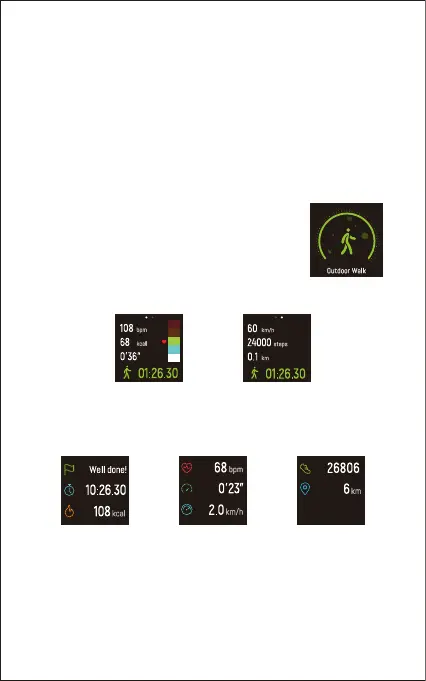
4. Tracking Sports: Outdoor Walking
The watch can track your exercise data during
walking.
1) Hold the touch key for 2 seconds to start the
outdoor walking mode.
2) During exercise, tap the touch key to flip through exercise data.
3) Hold the touch key for 2 seconds to exit.
The following data is displayed after the exercise is ended;
tap the touch key to flip through exercise data:
Note:
Data of exercises less than 1 minute will not be saved.


 To Next Page