- 1 -
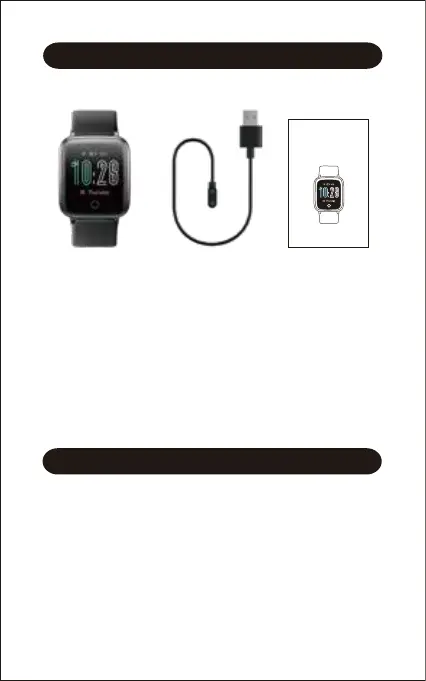
What’s in the box
Charging cable User manual
Getting Started
Setting up Your Watch
Smart watch
(ID205S with bands)
What’s in this document
This manual gets you started quickly with setting up your
watch. Setup ensures that your watch can synchronize its data
with the VeryFitPro app, where you can get detailed
information on your stats, view historical trends, log sleep, and
more. As soon as setup is complete, you’re ready to start
moving. The remainder of the manual walks you through every
function on your ID205S.
Charging your watch
Please fully charge your watch before initial use.
1. Insert the USB plug of the charging cable into the USB port
on your computer or a UL-certified USB wall charger.
2. Hold the other end of the charging cable near the port on
the back of the watch until it attaches magnetically.
3. Make sure the pins on the charging cable lock securely with
the port. The connection is secure when the watch vibrates
and the battery icon with percent charged appears on the
screen.
ID205S
Smart Watch
User Manual
Thank you for purchasing our products. This manual addresses the
safety guidelines, warranty, and operating instructions. Please
review this manual thoroughly before operating your device.


 To Next Page