18
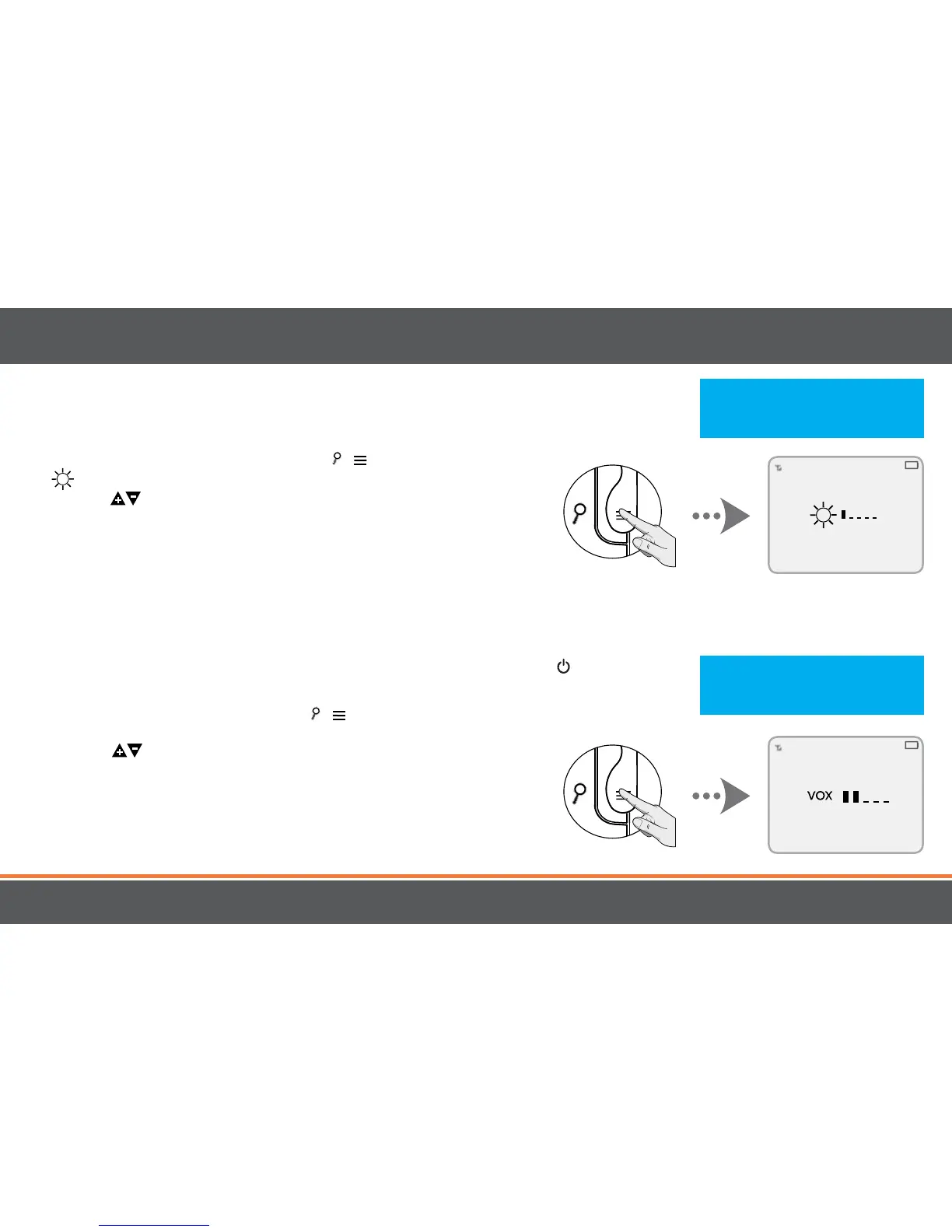
Setting the Brightness
Brightness Mode sets the brightness of the the screen. Brightness Mode
also extends the battery life.
1. To set the Brightness Mode, press the / button until you see the
icon.
2. Use the VOLUME arrows (side) to increase/descrease the
brightness level.
Using VOX (PEEP) Mode
When in VOX (PEEP) Mode, the monitor enters standby/sleep mode after 1 minute of inactivity. When sound is detected, the
screen changes to live view.
• To access live view manually when the screen is o, press the POWER
button ONCE.
• VOX (PEEP) Mode can extend the battery life to more than 12 hours without recharging.
1. To set VOX (PEEP) Mode, press the / button until you see the
VOX icon.
2. Use the VOLUME arrows (side) to increase/descrease the
sensitivity to sound.
OPERATION
Note: Low brightness levels
reduce battery consumption and
extends the battery life.
Note: Lower sensitivity levels
reduce battery consumption and
extends the battery life.


 To Next Page