7
3
3
3
.
.
.
N
N
N
e
e
e
t
t
t
w
w
w
o
o
o
r
r
r
k
k
k
S
S
S
e
e
e
t
t
t
t
t
t
i
i
i
n
n
n
g
g
g
s
s
s
a
a
a
n
n
n
d
d
d
S
S
S
o
o
o
f
f
f
t
t
t
w
w
w
a
a
a
r
r
r
e
e
e
I
I
I
n
n
n
s
s
s
t
t
t
a
a
a
l
l
l
l
l
l
a
a
a
t
t
t
i
i
i
o
o
o
n
n
n
To use LevelOne FBR-1418TX correctly, you have to properly configure the network
settings of your computers and install the attached setup program into your MS Windows platform
(Windows 98SE/ME/2000/XP).
3.1 Make Correct Network Settings of Your Computer
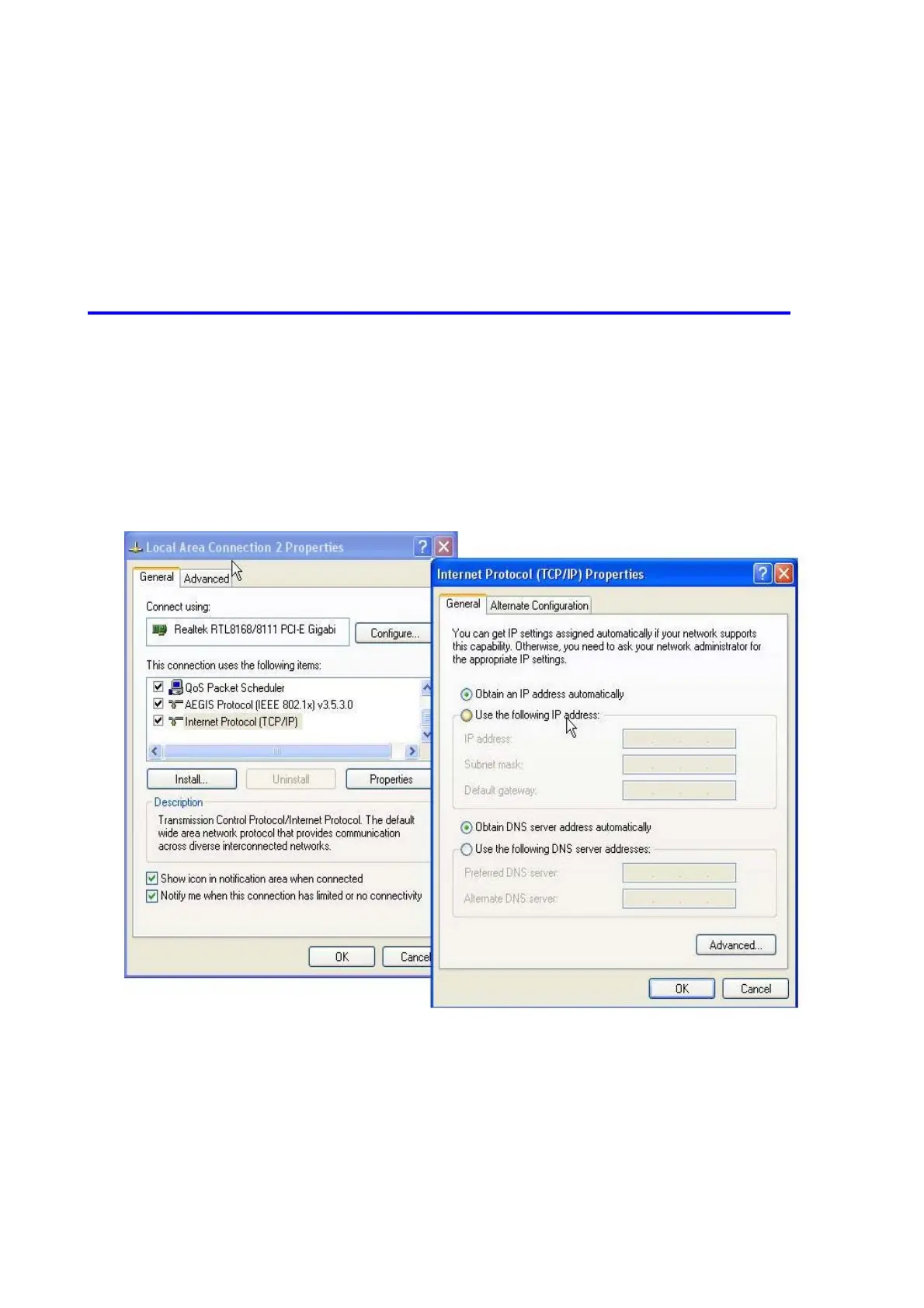
1. Please make sure your PC can get IP address automatically so the FBR-1418TX can
communicate with your PC during configuration.
Select “Control Panel” > “Network Connections”.
Right click the “Local Area Connection” and choose “Properties”.
Select the TCP/IP protocol for your network card.
Click on the Properties button. You should then see the following screen and make sure
you have selected “Obtain IP address automatically”
Reboot computer to make sure you have received the IP address correctly.














 To Next Page