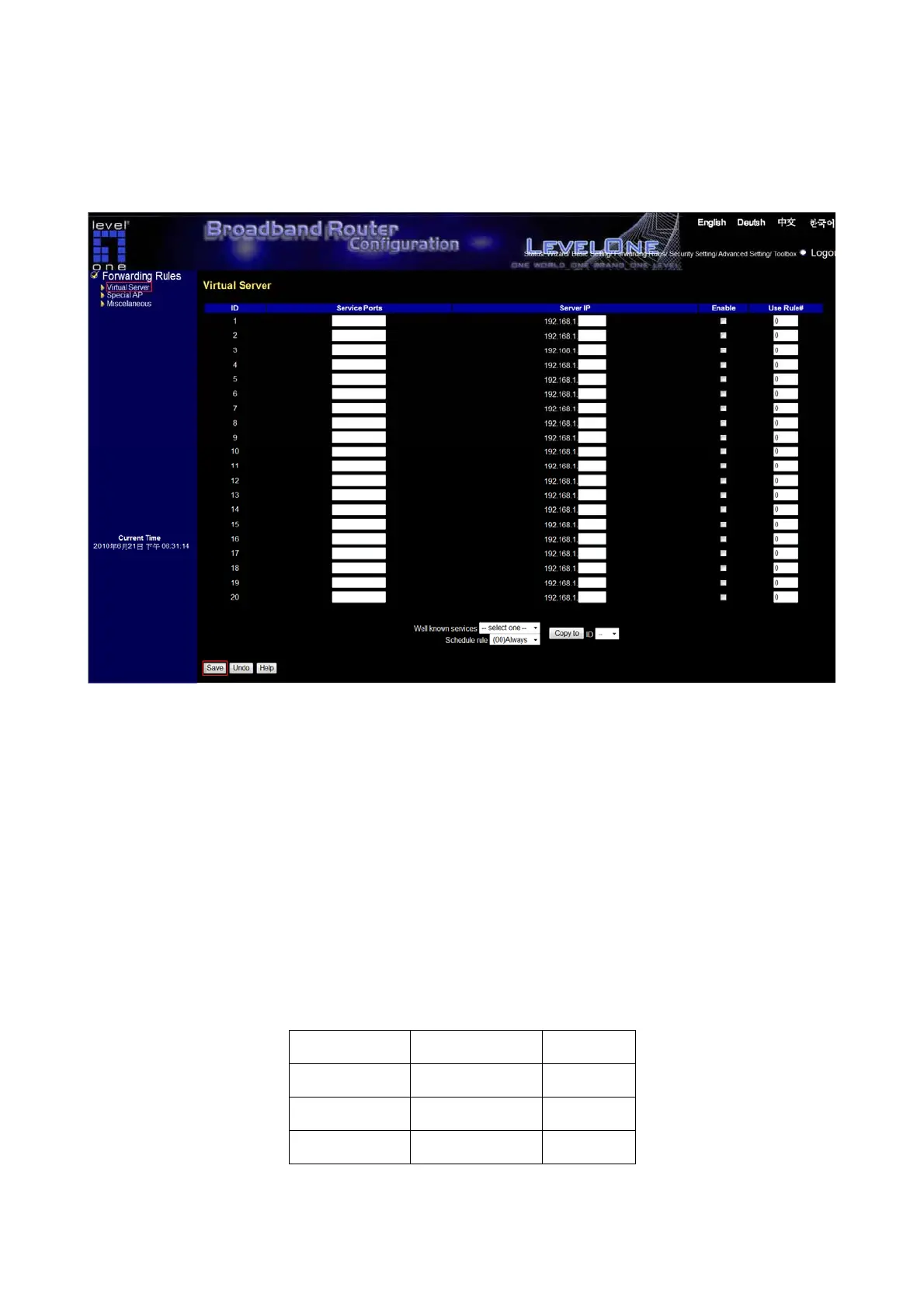
4.5.1 Virtual Server
This product’s NAT firewall filters out unrecognized packets to protect your Intranet, so all hosts behind this
product are invisible to the outside world. If you wish, you can make some of them accessible by enabling the
Virtual Server Mapping.
A virtual server is defined as a Service Port, and all requests to this port will be redirected to the computer
specified by the Server IP. Virtual Server can work with Scheduling Rules, and give user more flexibility on
Access control. For Detail, please refer to Scheduling Rule.
For example, if you have an FTP server (port 21) at 192.168.1.2, a Web server (port 80) at 192.168.1.3, and a
VPN server at 192.168.1.6, then you need to specify the following virtual server mapping table:
Service Port Server IP Enable
21 192.168.1.2 V
80 192.168.1.3 V
1723 192.168.1.6 V
24














 To Next Page