Event Configuration
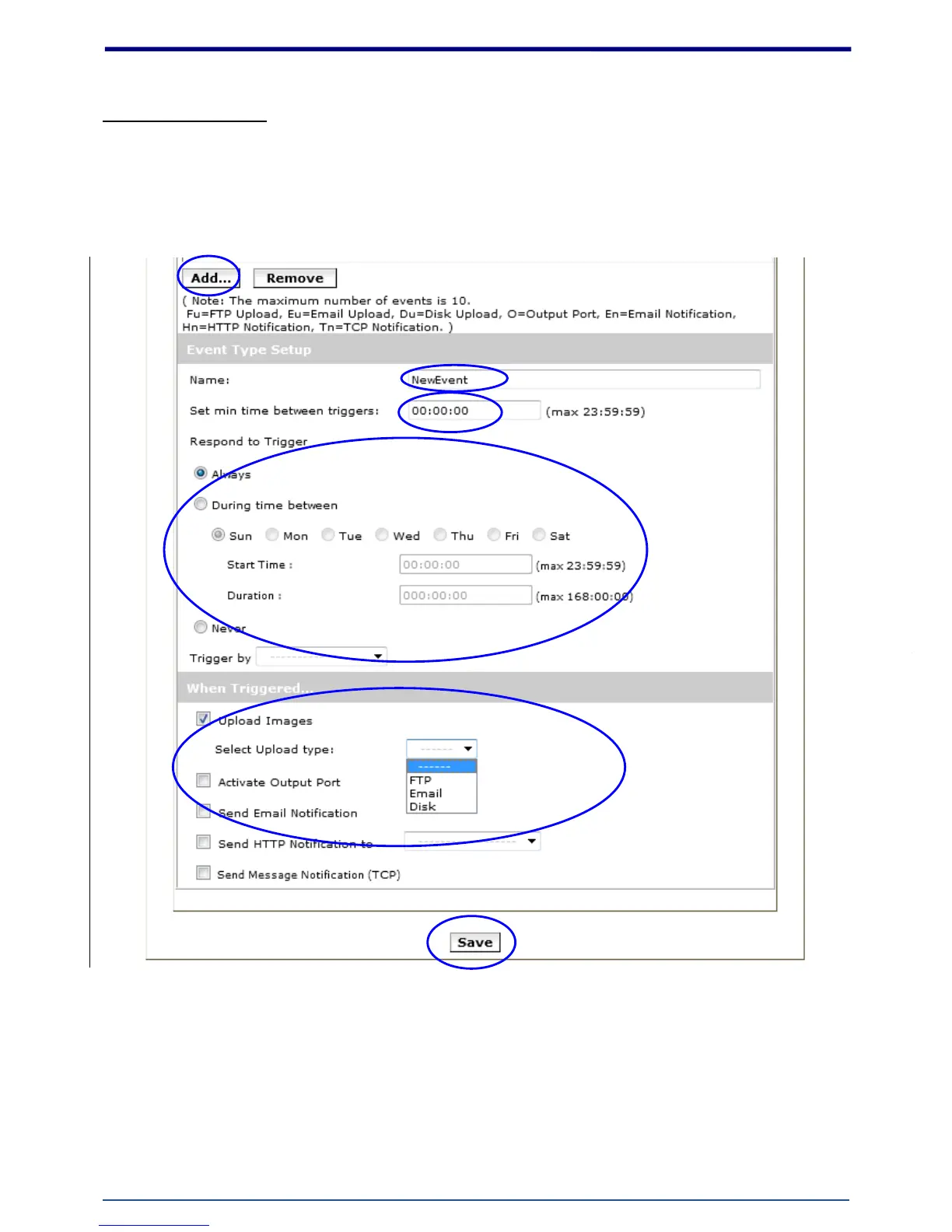
The Event Configuration is to assign the actions responding to the specified events (Trigger Conditions).
The table lists the configured events. Click on “Add…” or choose an event from the list to expend the panel
for detail configurations. “Remove” is to delete a selected event
1. To add an event trigger, click on [Add] and setup panel will be expanded.
2. Give a name to this event.
3. Set the time interval between each trigger.
4. Set the time period for the trigger. Choose “Always” or “During time between” or “Never”.
5. The trigger condition is Motion Detection.
The responding actions can be “Upload images” and “Activate Output Port” and















 To Next Page