User's Manual - 11
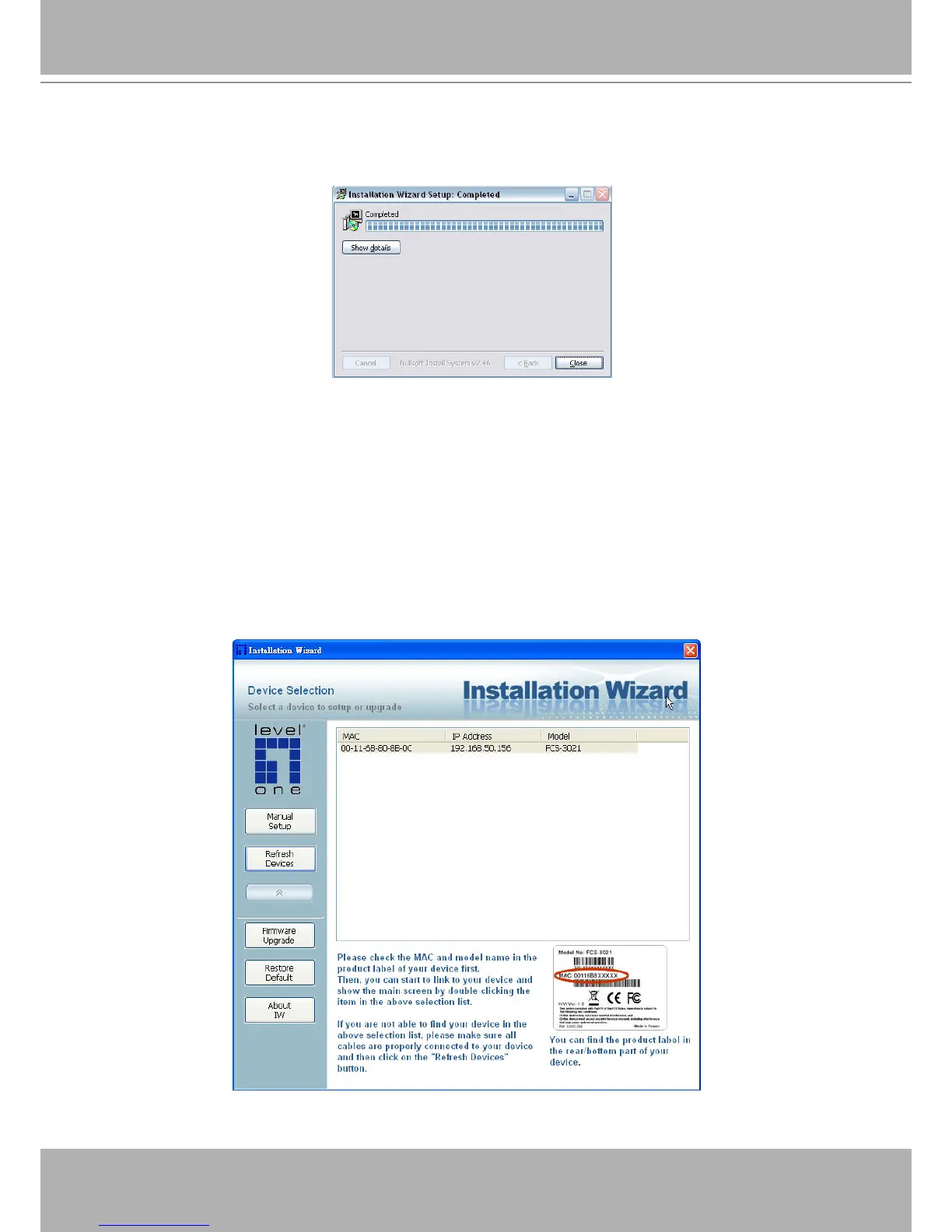
STEP 4: After clicking “Install” button, the install system will install the Installation Wizard to your
computer, and a progress bar will display on the dialog. After completed the installation, please
click on the “Close” button.
Completed
Using Installation Wizard
User Interface
Once you run the Installation Wizard, after a short searching time, you will see the user interface
as below. “Manual Setup” button, a “Refresh Devices” button and an arrow button on the left
panel of your user interface. When you click on the arrow button, you will see more advanced
functional buttons: “Firmware Upgrade”, “Restore Default” and “About IW”. You can select
your device by double-clicking it in the device list. The left three buttons (“Manual Setup”,
“Firmware Upgrade”, and “Restore Default”) won’t be enabled until you select at least one
device.
Installation Wizard allows you to setup one device at one time and upgrade multiple devices
(of the same model) at the same time. If you selected different models, then the “Firmware
Upgrade” button would be disabled.















 To Next Page